
Freight forwarding software – from order to settlement in one system
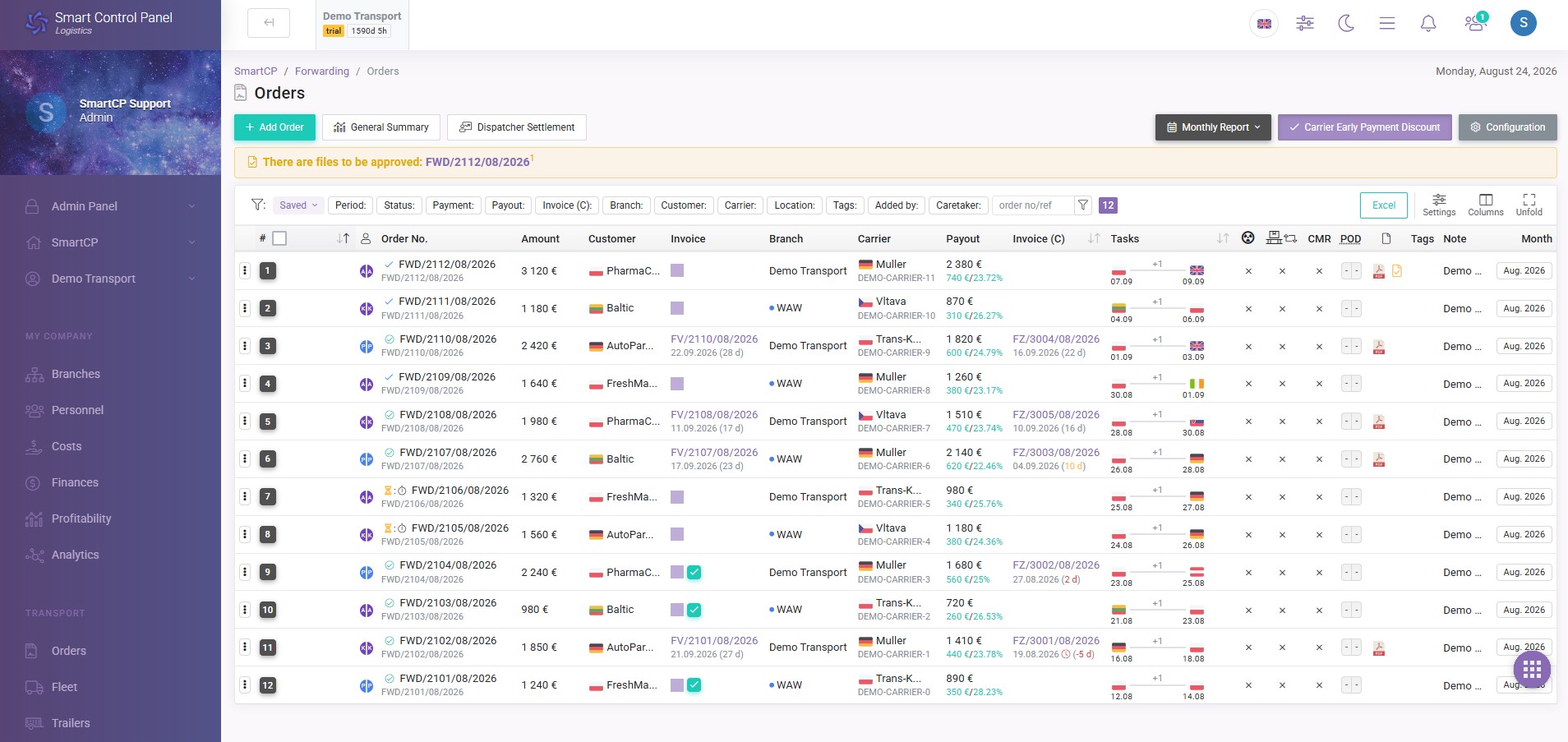
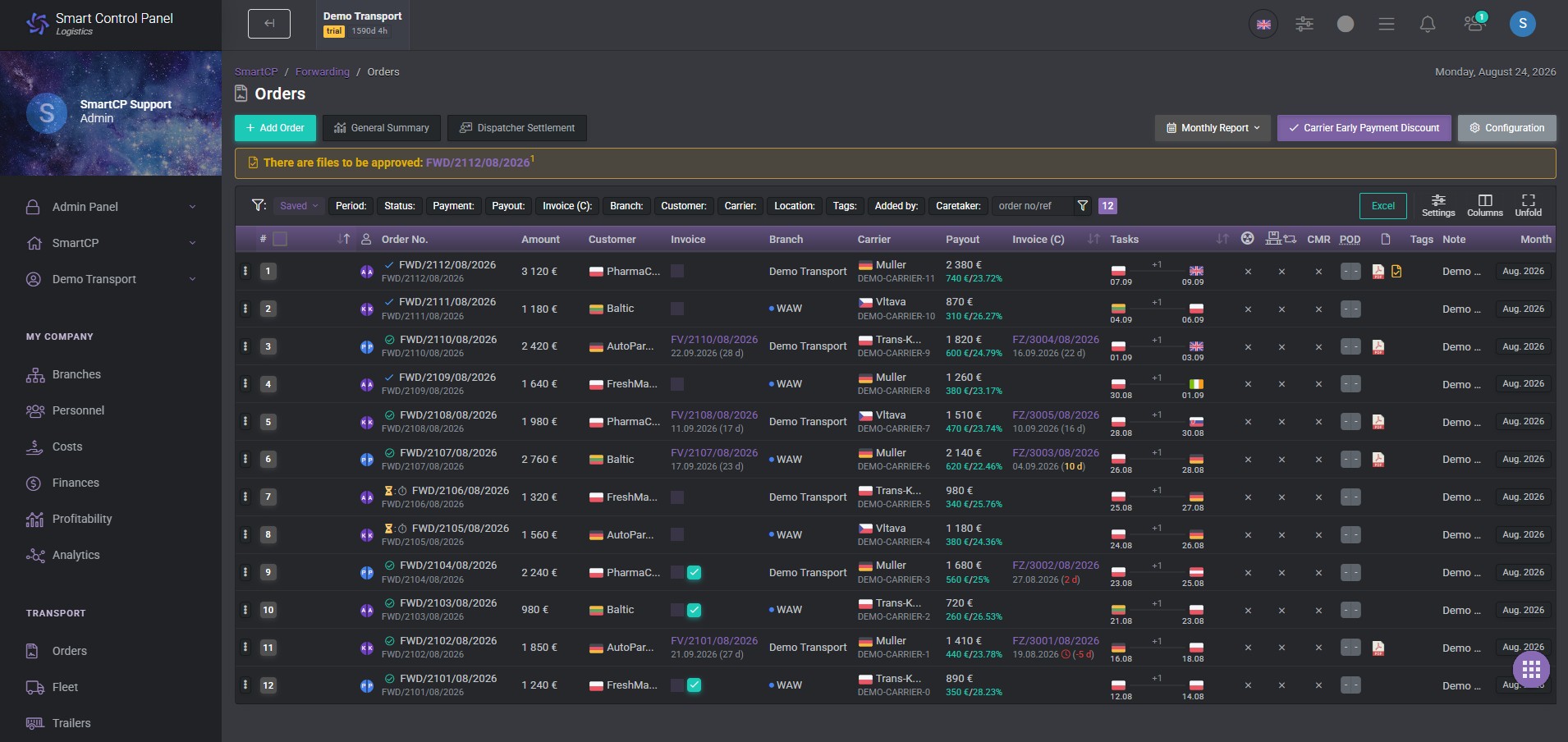
SmartCP Logistics connects forwarding orders, customers, carriers, documents, invoices, payments, margin, and forwarder settlements in one TMS system.
Less manual work, faster document flow, and full control over the profitability of every order.
Proven in transport and forwarding companies






Everything a forwarding company needs – in one place
From receiving an order from a customer to settling the carrier and analyzing margin, the key forwarding processes stay connected in one system.
Forwarding orders
From order intake to full settlement.
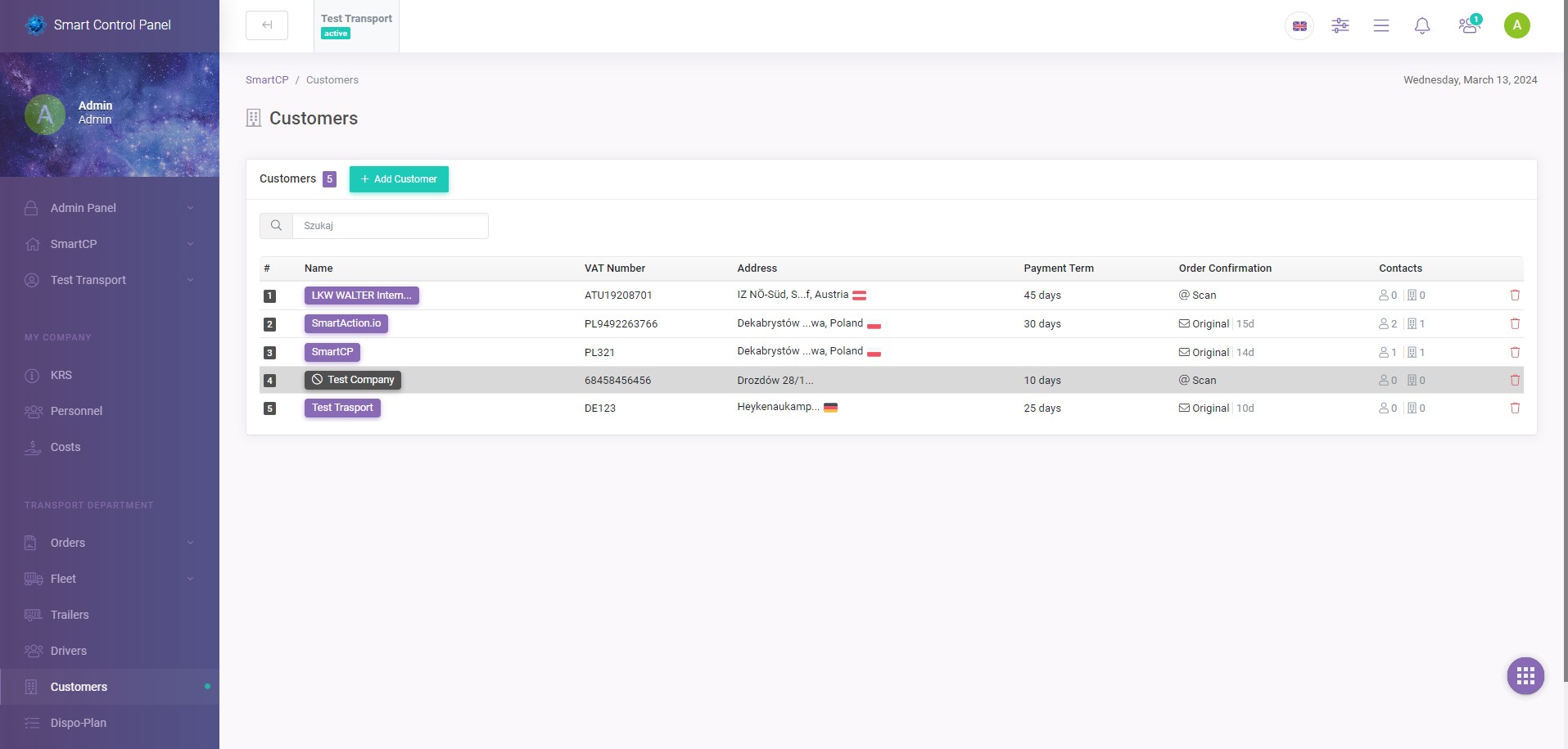
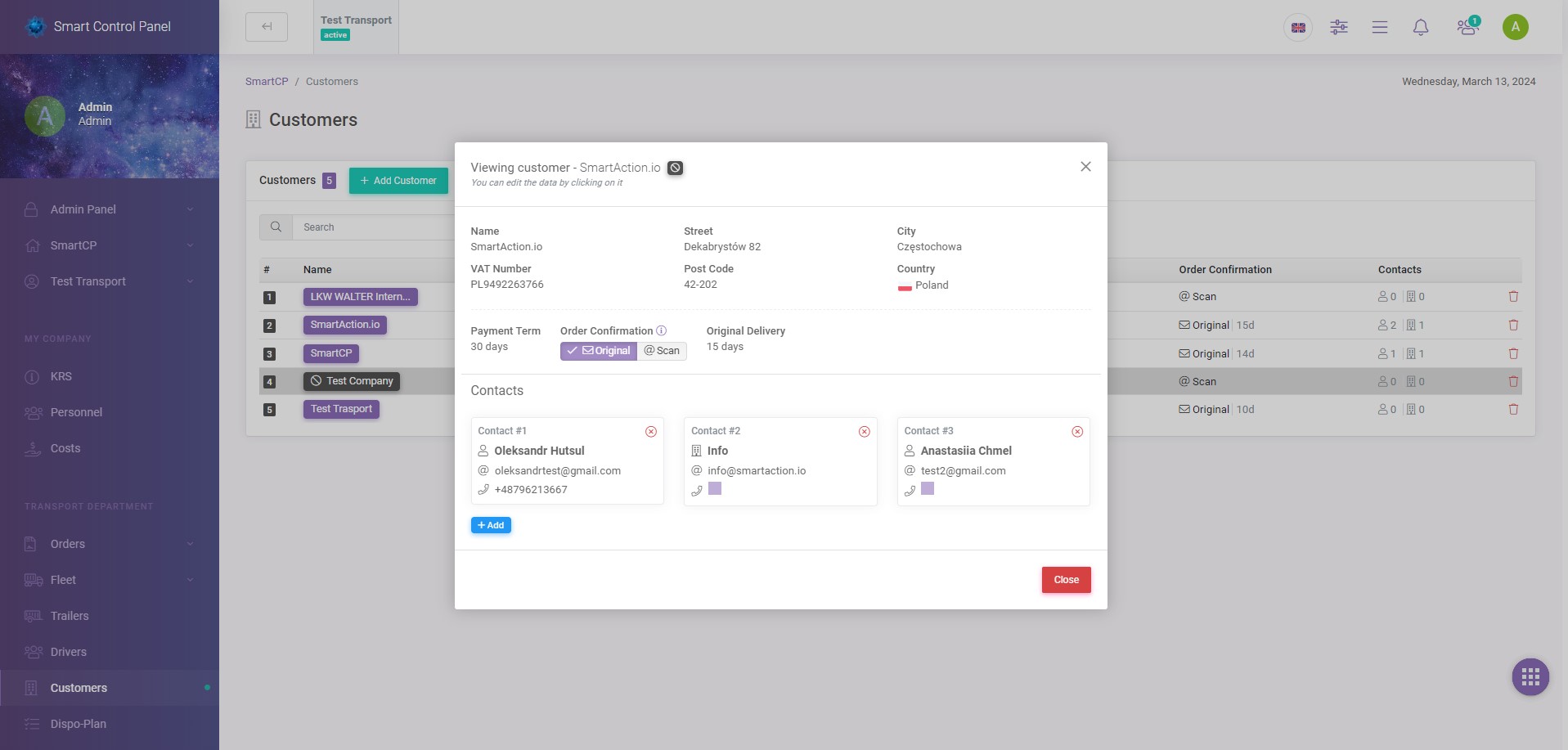
Customers and carriers
Data, contacts, cooperation history, and related orders.
Documents
Customer and carrier documents assigned directly to the right order.
Invoices
Sales and purchase invoices connected with the handled transport.
Payments
Control amounts, deadlines, and settlement statuses.
Margin
Check the current financial result of every order.
Forwarder settlements
Analyze results and settle the work of individual forwarders.
AI and automation
Reduce manual data entry and repetitive tasks.
From customer order to settlement – without switching between systems
All information stays connected. A forwarder does not need to move data between spreadsheets, email, documents, and separate tools.
This makes it clear at every stage who is handling the transport, which documents have been delivered, what costs were created, and what the current order result is.
Don’t retype orders manually – let AI do it
PDF order → ready data
Received a transport order from a customer as a PDF? Add the document to SmartCP. AI recognizes its content and prepares the data needed to create the order.
Less manual retyping, fewer mistakes, and more time for customer service and transport organization.
Cost invoice → ready cost
SmartCP can also read data from cost invoices and help assign the cost to the right process.
Customers and carriers always at hand
Store contractor data, contacts, documents, cooperation terms, and related order history in one place.
A forwarder does not need to search for information in emails, spreadsheets, and separate databases.
Carrier documents go straight to the right order
Each order can contain a private link through which the carrier sends documents and an invoice directly to SmartCP.
You send the order PDF
The carrier receives a document with a private link for handling documents for that specific order.
The carrier opens the link
Without logging in, they see their order and a place to upload required documents and an invoice.
Documents go to SmartCP
Files are automatically connected with the right order.
The forwarder verifies them
A document can be accepted or rejected without manually moving attachments.
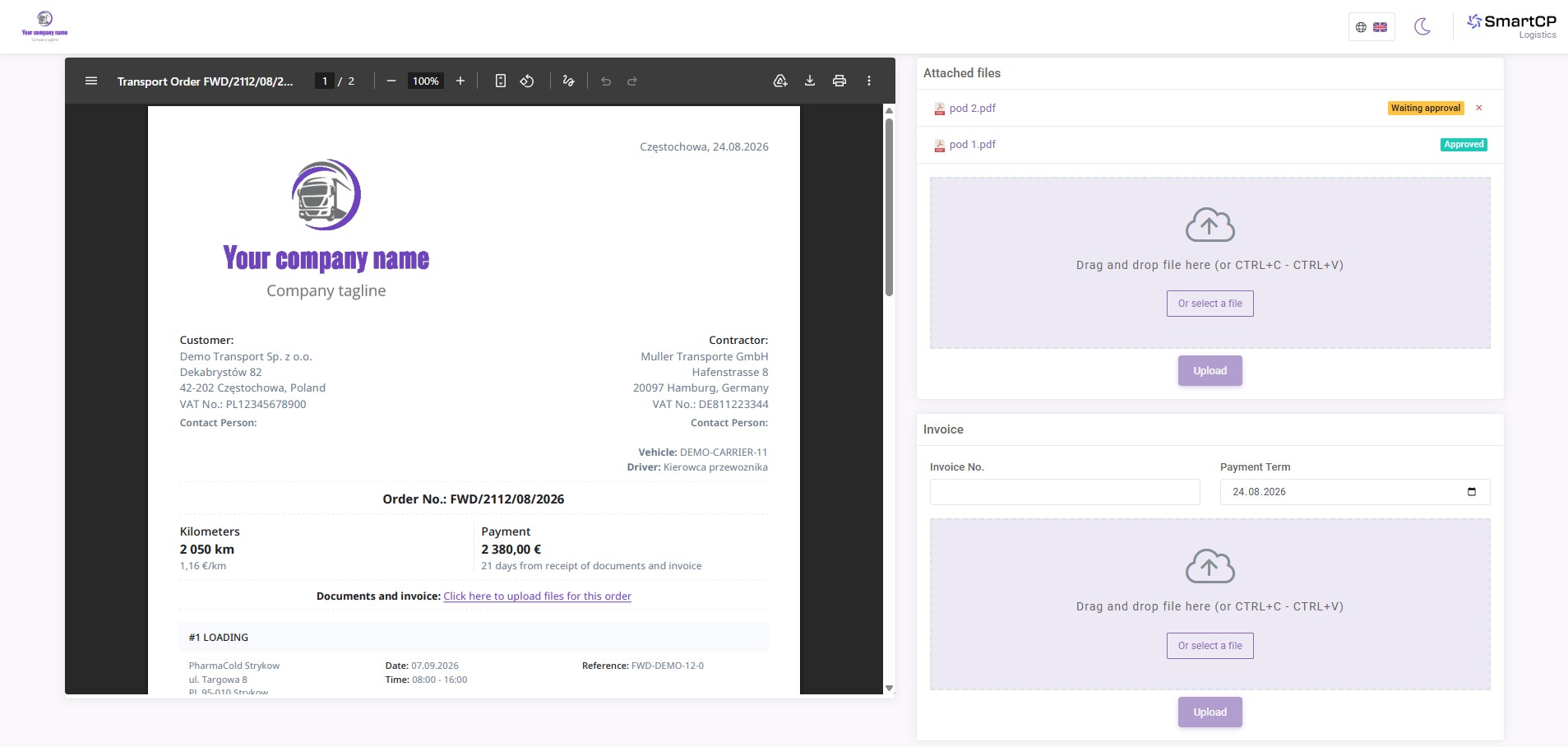
No documents sent by email. No searching for the right order. No manual attachment assignment.
The carrier sees the status of uploaded files and knows which documents have been accepted and which are still waiting for verification.
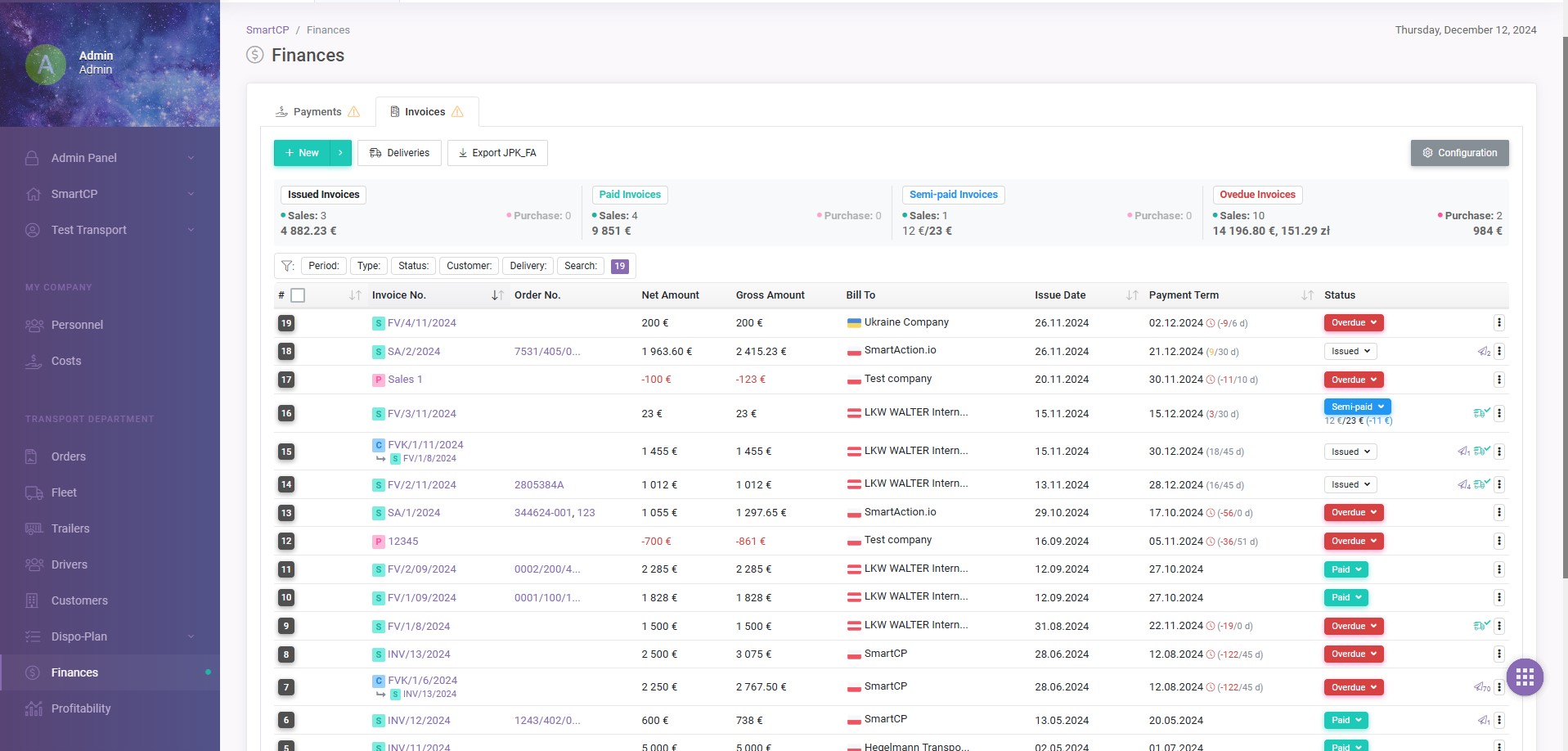
Invoices and costs connected with the order
A carrier invoice does not have to end up as another unrelated accounting document.
Purchase invoices can be assigned directly to the right forwarding orders, so the carrier cost immediately becomes part of the order settlement.
SmartCP also integrates with KSeF, enabling purchase invoice import and further work with them in the system.
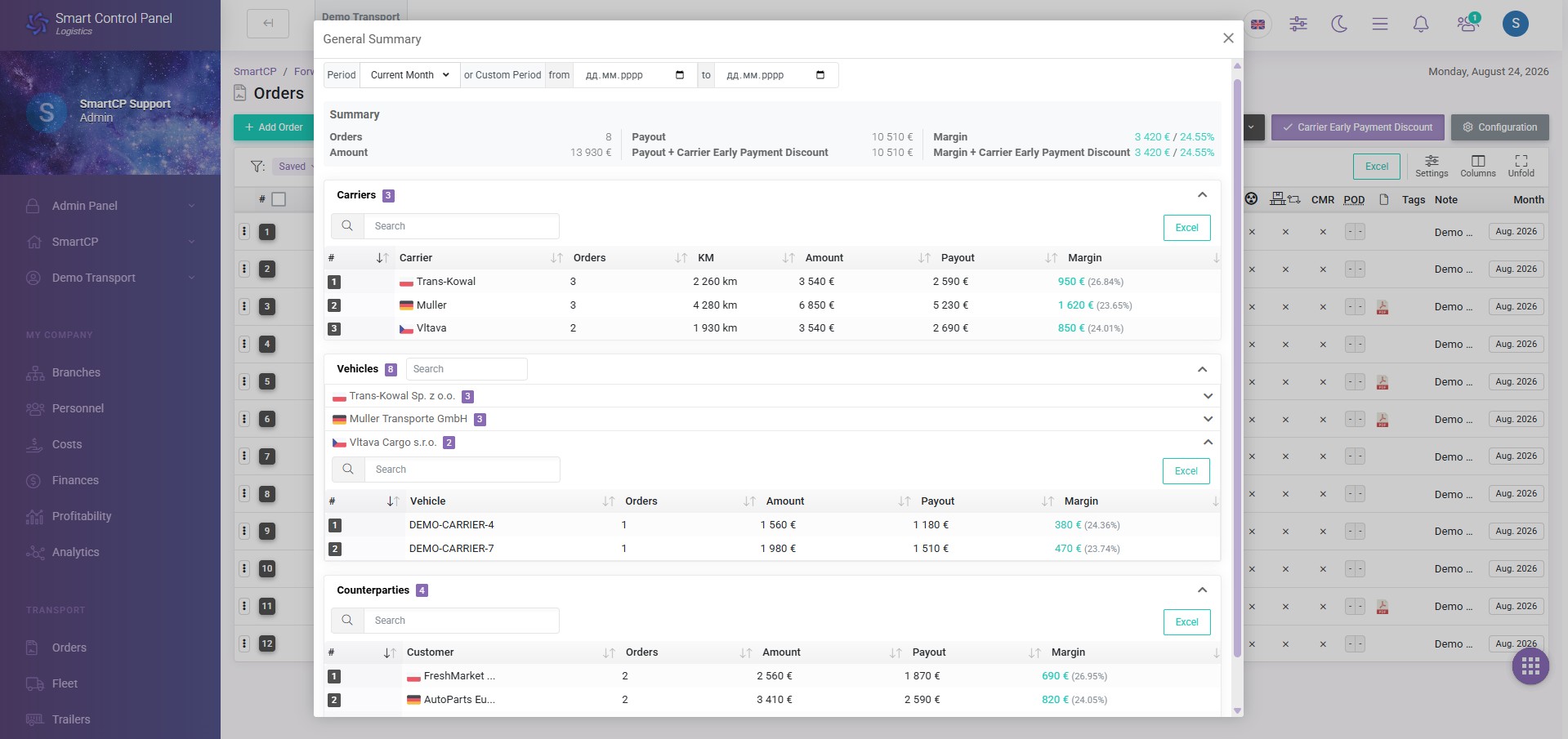
You know what your forwarding business really earns on
The margin of a single order is only the beginning. SmartCP lets you analyze the results of the whole business in a selected period.
-
Customers
Check order count, sales value, payouts, and margin generated by individual customers.
-
Carriers
Compare handled order count, payouts, and the margin remaining from cooperation with individual carriers.
-
Carrier vehicles
Analyze results also at the level of vehicles used to handle orders.
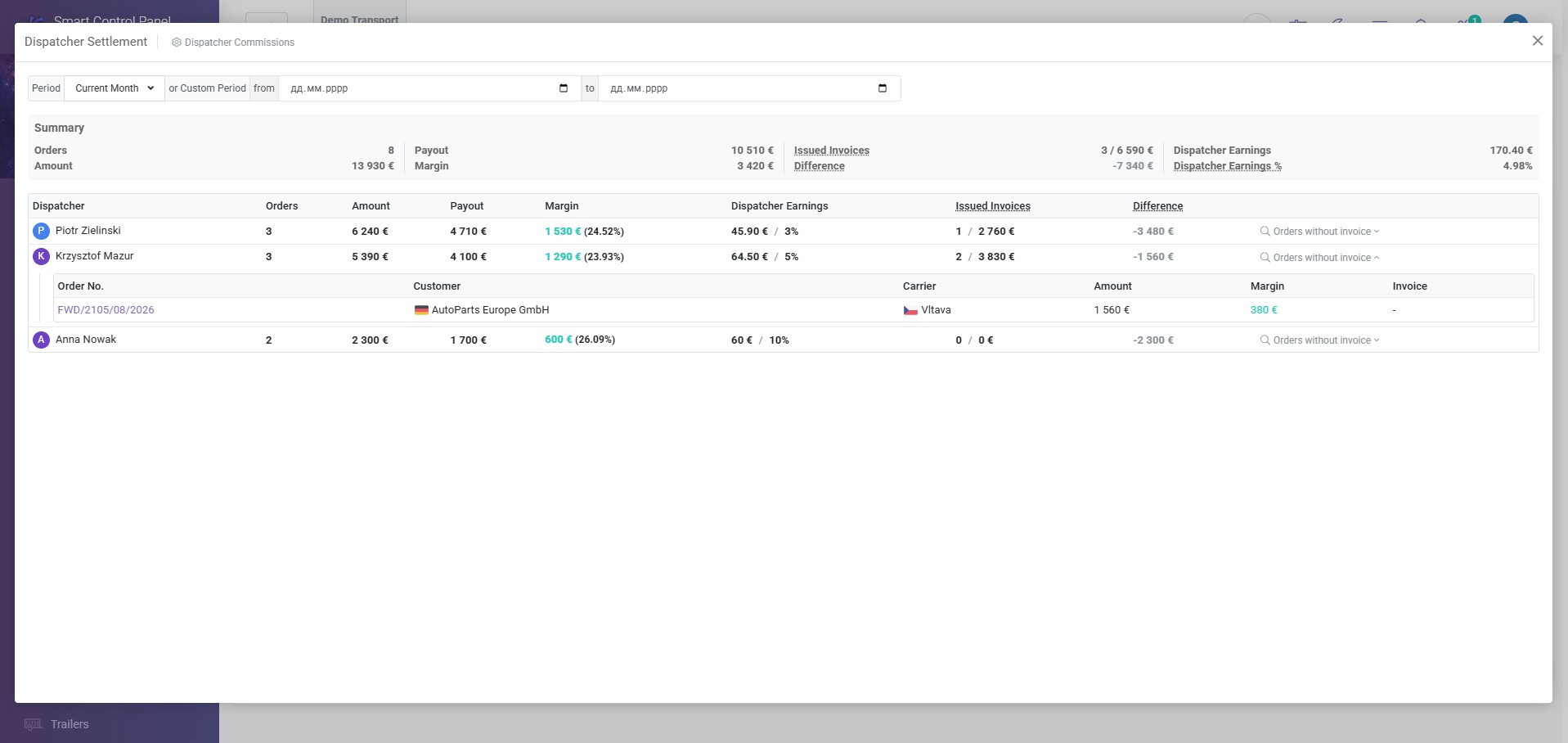
Settle forwarders based on real results
SmartCP lets you analyze the work of individual forwarders based on completed orders and financial results.
Orders
How many orders the forwarder handled.
Amount
The value of handled orders.
Margin
The result generated by the forwarder.
Invoices
How many orders have already been invoiced.
Commission
Calculate forwarder pay according to agreed rules.
Each forwarder sees the orders they should see
Organize team work according to your company structure.
Users
Create accounts for forwarders and other employees.
Groups
Connect users into teams that match the company organization.
Order access
A forwarder can work on their own orders or on orders assigned to their group.
Control
The administrator keeps access to information needed to manage the whole team.
















Simple pricing that scales with the number of orders
The more orders you handle monthly, the less you pay for one order.
up to 50 orders
1 € / order
50–1000 orders
price gradually decreases
from 1 € to 0.50 €
1000+ orders
0.50 € / order
Frequently asked questions about freight forwarding software
See how SmartCP can improve your forwarding company’s work
Orders, customers, carriers, documents, invoices, margin, and forwarder settlements in one modern TMS system.