

Dear Clients,
The SmartCP team is here again! We are excited to present our latest update and briefly share the results of our work in this article.
Module [Orders]
- Added ability to export the general orders list to Excel.
- Updated the date structure in the task: instead of two date-time fields (from-to), there will now be one date field and two time fields (from-to).
- Two buttons (+1/-1) have been added to the date field, allowing you to add/subtract 1 day.
- The popup window for viewing orders has been updated: it now opens in full screen, improving convenience and readability when viewing order details.
- Added ability to view attached files in the order viewing window, displayed on the right side of the order information.
- A "Change History" tab has been added to the order editing window.
- Added a "draft" feature when creating an order: if you accidentally close the window, all order data will be saved, allowing you to continue from where you left off when reopening it.
- The "Current Month" period filter has been split into two options: Current Month (calendar) and Current Month (orders month).
- Additional period filters added: Load Today, Unload Today; Load Tomorrow; Unload Tomorrow.
- Added a filter by the user who added the order.
- A new option has been added in the module settings to highlight completed orders that have not yet been invoiced.
- Settings related to data transfer to the "Profitability" module have been moved to a separate tab named Module "Profitability".
- When selecting a customer, the reason for their blacklisting will now be displayed if they are in the blacklist.
- Added a map toggle option for satellite mode during route planning.
- Added a "Location (short)" field to the order details. Description from system:
You can specify the location in shortened form if you wish. Usually, if the full address contains the company name, street, country code, postal code and city, then the shortened form includes the country code, postal code and city, e.g. DE-10115 Berlin.
Also filling in the shortened location makes it easier to search for orders by address (country code). For example, if you search by country code “de” in the full address, the system will display all variants where “de” is present (in the name of the company, street, etc.), most of which will be redundant, but if you search by country code “de” in the shortened version, the system will display only the necessary variants.
Attention: If a shortened version of the location is specified, it will be used when generating an invoice for this order to save space on the invoice. - The "Search" page has been removed and instead the search has been moved to the filters on the main page of the Orders module. Search capabilities have been improved, with expanded options for location-based searches.
- Added ability to sort the general orders list by: Date Added; Last Modified Date; Load Date; Unload Date.
Module [Drivers]
- A new format for drivers' working time calculation for the 4Trans program has been added. When generating the report, you must select the program for which you want to generate the report.
Module [Finance: Invoices]
- Payment terms now display the original payment term in days.
- Overdue invoices now show the overdue period in days.
- Added a "draft" feature when creating invoices: if you accidentally close the window, all invoice data will be saved, allowing you to continue from where you left off when reopening it.
- Added ability to sort the invoices list by: Date Added; Last Modified Date; Issue Date; Payment Term.
- Added viewing of attached files when editing an invoice.
- Added viewing of order-related attachments when creating an invoice based on an order.
- Added the option to check the VAT status of a contractor when creating an invoice.
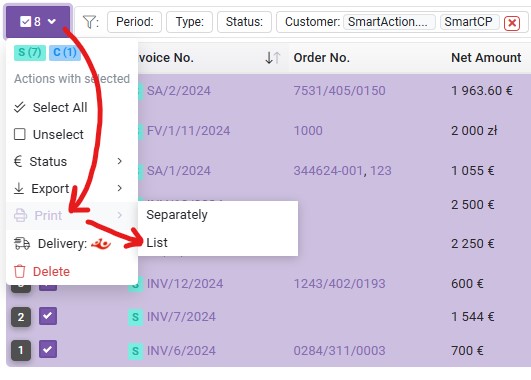
- Added ability to print a list of selected invoices in a convenient format for paper reconciliation.
- To do this, select the necessary invoices, then go to Print -> List in the options for selected invoices:
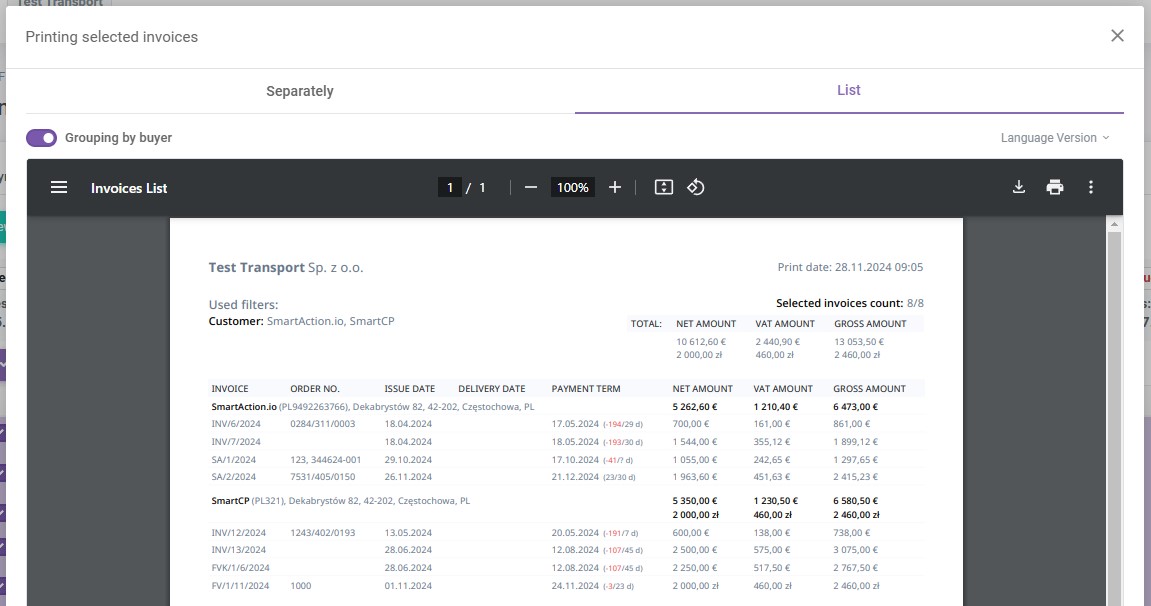
- The system will generate a PDF document with the selected invoices in a convenient format for reconciliation.
- To do this, select the necessary invoices, then go to Print -> List in the options for selected invoices:
- Added an additional filter for invoice status - Unpaid.
- Hovering over an invoice sequence number now displays information about who added the invoice to the system and when, as well as who made the last changes and when.
Integration with Poczta Polska
We are excited to introduce integration with Poczta Polska. This feature further simplifies and automates the process of sending documents, including invoices, to your contractors.
How does it work?
- Selecting invoices for shipment
You can now simply select the invoices you want to send to your contractor. The entire dispatch process starts directly in the SmartCP system.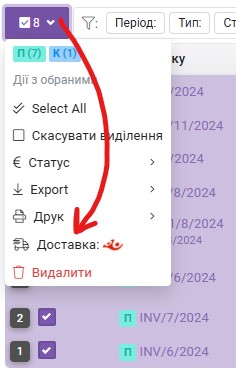
- Automatic label generation
The system automatically generates postal labels, which can be downloaded in PDF format and printed immediately. There’s no need to visit additional platforms - all labels are ready in one place.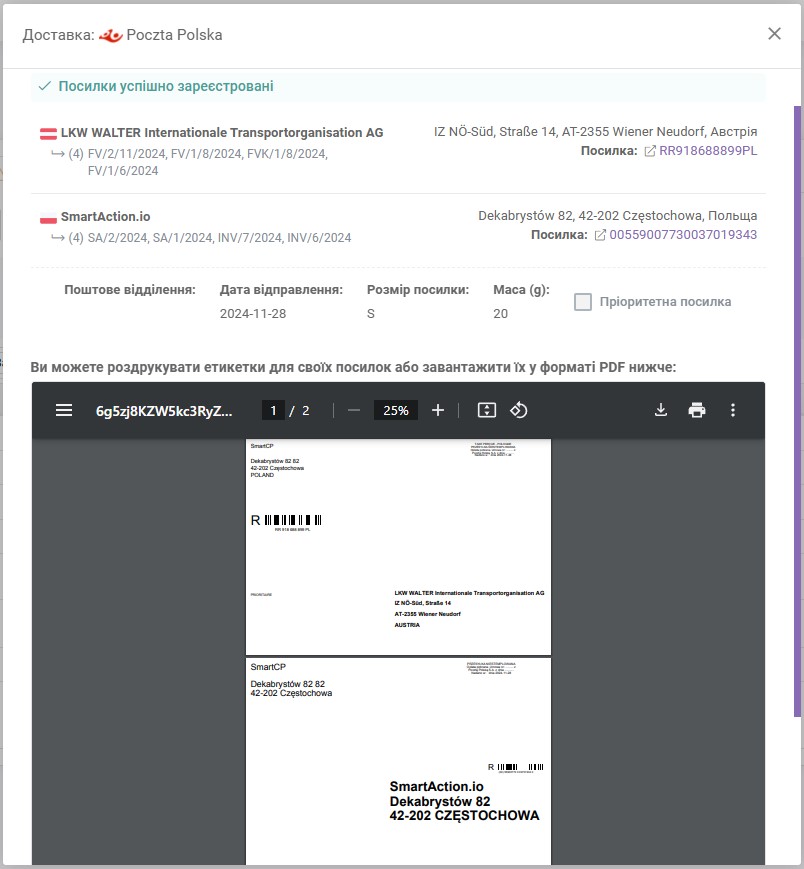
- Monitoring the status of shipments
Thanks to the integration, you can track your parcels in real-time. The system keeps you informed at all stages - from dispatch, transit, to delivery.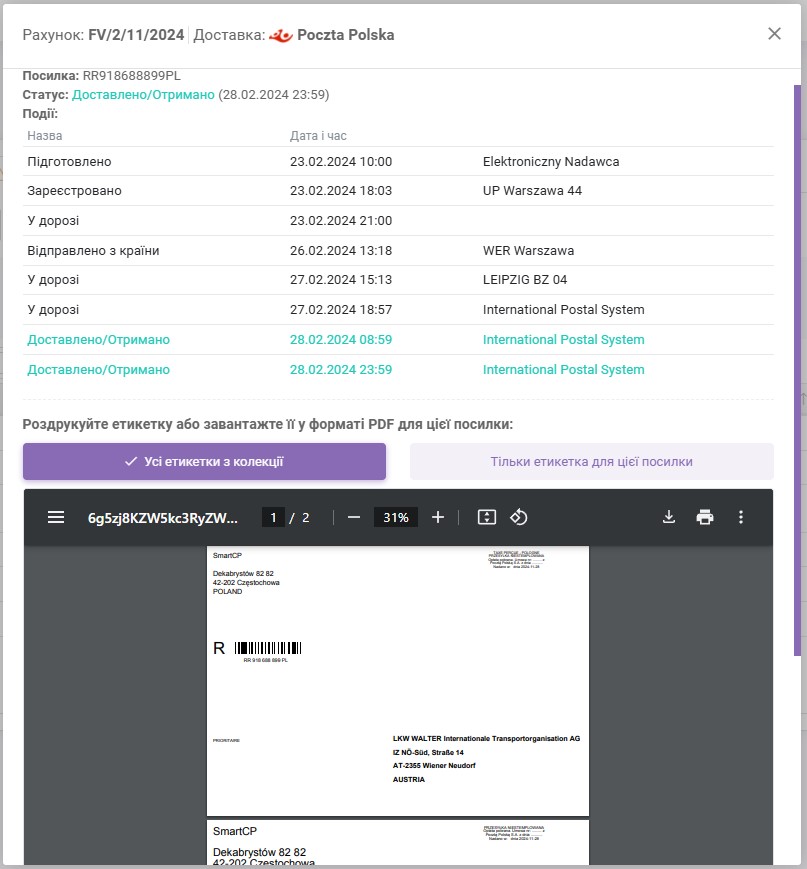
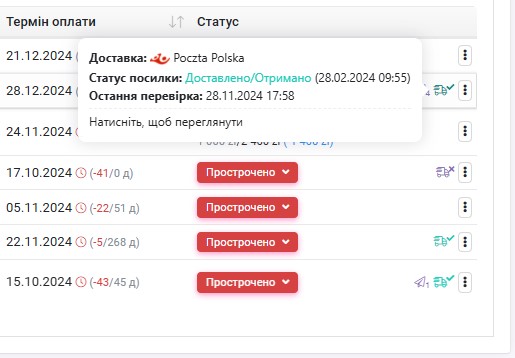
- Automatic transfer of shipment data
Postal information is automatically transferred to the Poczta Polska system, eliminating the need to enter data manually. This saves time and reduces the risk of errors.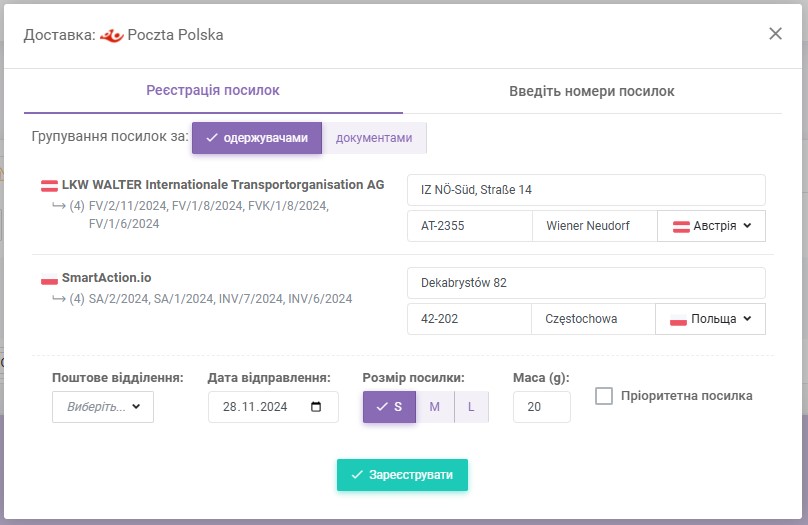
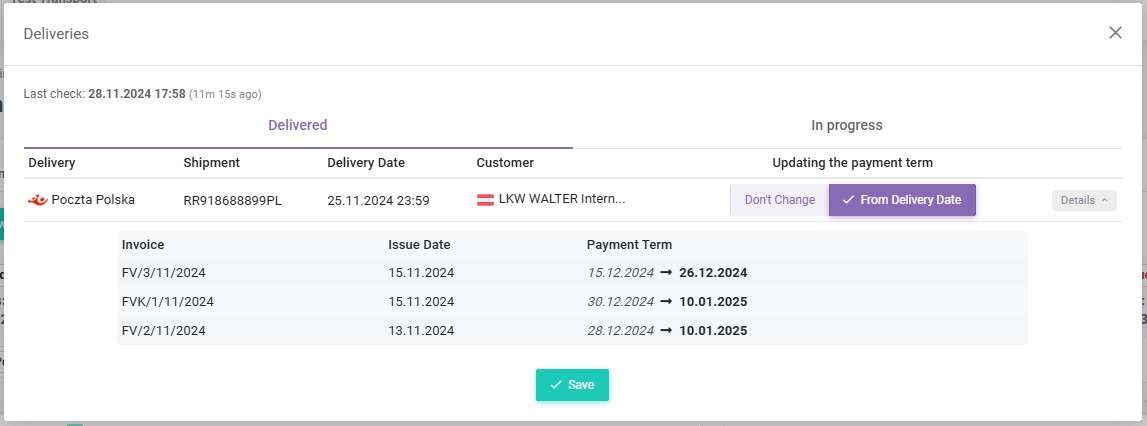
- Delivery confirmation and invoice updates
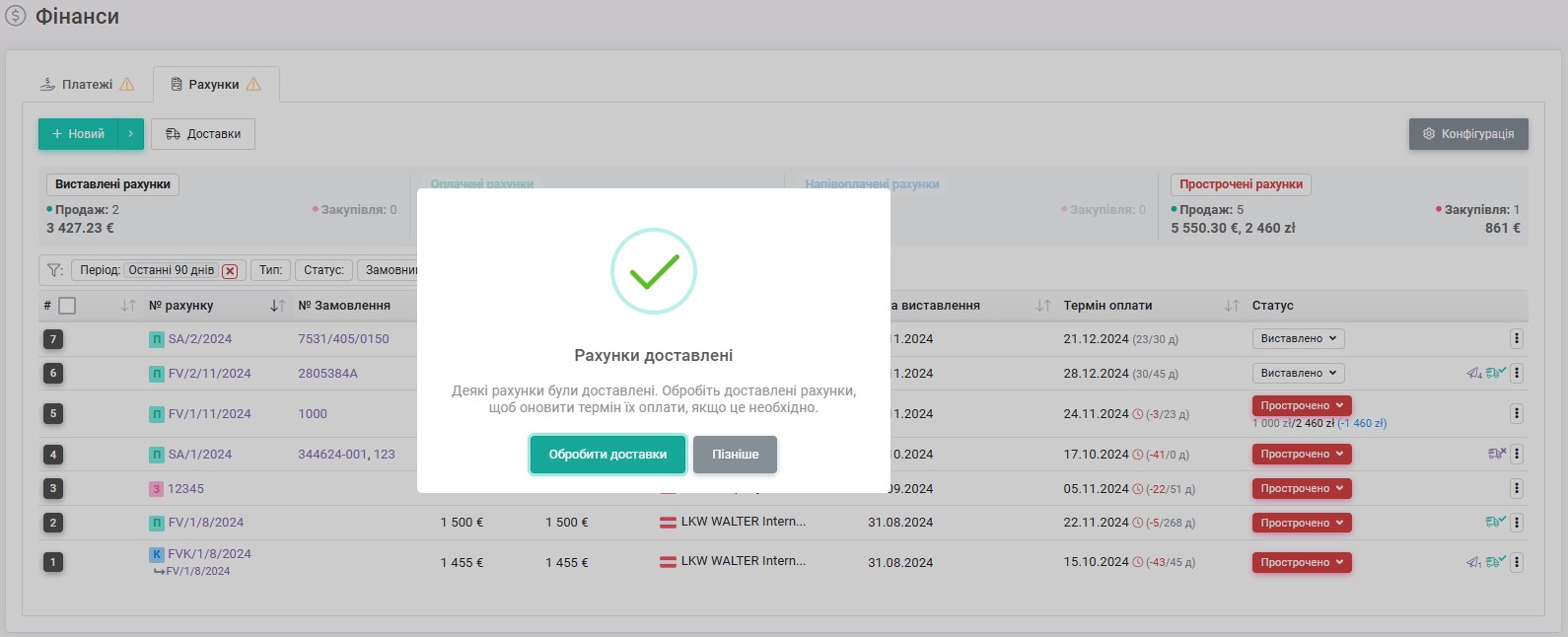
The most important innovation is the ability to automatically update invoice statuses.
Upon parcel delivery, the system:-
Automatically verifies the delivery date and notifies you of successful document delivery.
-
Allows automatic updating of the invoice payment term based on the actual delivery date.
-
If you have any questions or require further clarification, please feel free to reach out to us at support@smartcp.org.
Best regards,
SmartCP Team