

Dear Customers,
SmartCP team is with you again! We are glad to present you a fresh update, and in this article we will briefly share with you the results of our work.
Changes in the "Customers" module
- Added ability to search in the customers list.
- Added ability to blacklist a customer.
- Added ability to select and customize the method of order completion confirmation (original or scan):
- Original - means confirmation of the order completion by sending original documents by post. When selecting this option, the system will also offer you to enter the time (number of days) that the delivery usually takes.
- Scan - means confirmation of order completion by sending scanned copies of documents by e-mail.
Changes in the "Orders" module
- [Payments] Due to the addition of the order confirmation method in the "Customers" module mentioned above, on the "Payments" page we have added the ability to mark when the order confirmation was sent.
The system will automatically fill in the data based on the data in the "Customers" module, you only need to check and confirm.
Also, the system will immediately calculate the payment term and offer to automatically fill in these data.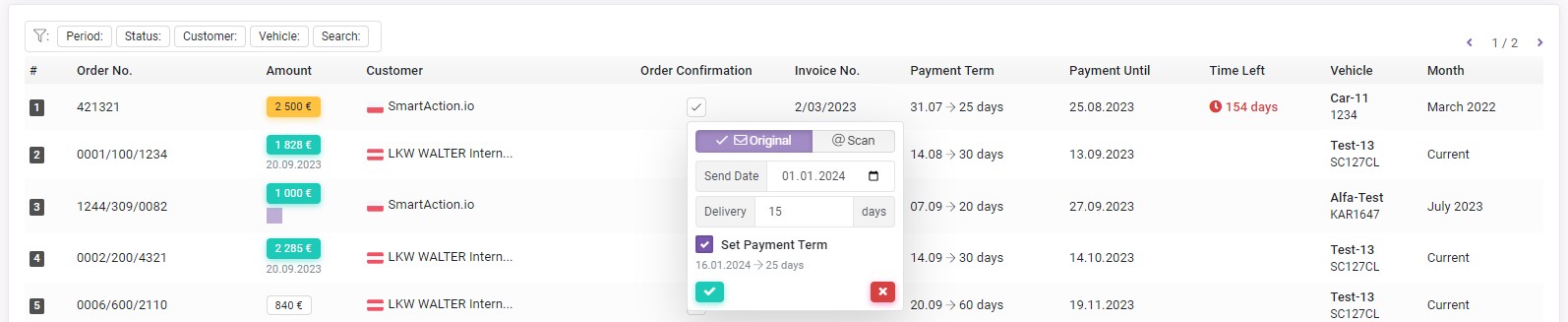
- [Payments] Added "Confirmation sent" status to the filter by payment status.
- [General Summary reports] Added statistics on the number of orders by vehicle to the total number of orders in the "Customers" report.
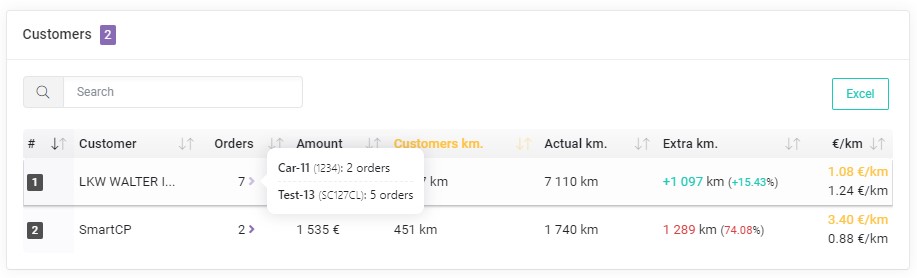
- [General Summary reports] Added ability to sort/order data in reports.
- Added autocomplete сustomer data when adding an order via PDF, provided that the system manages to find the corresponding customer in the "Customers" module.
Requests in the "Drivers" module
The "Requests" tab has been added to this module: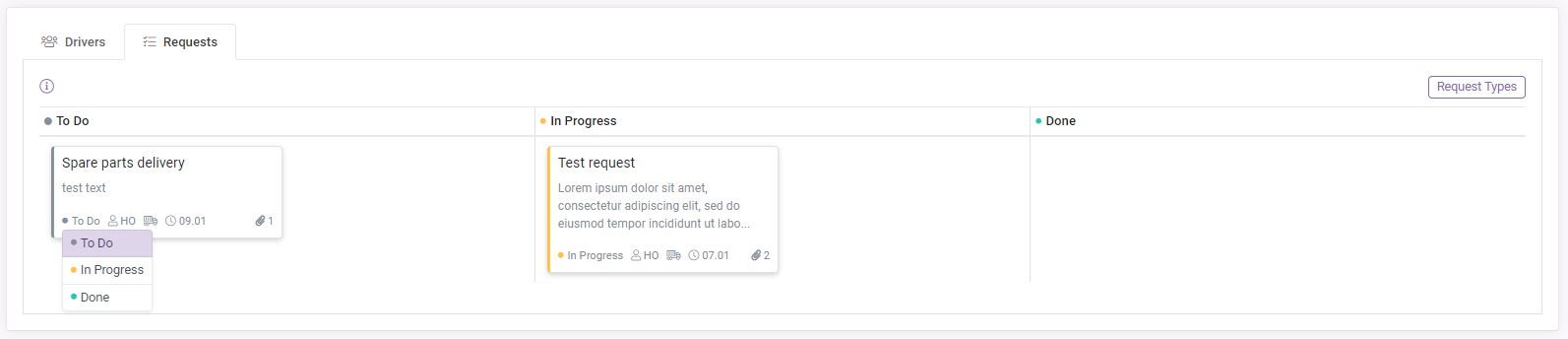
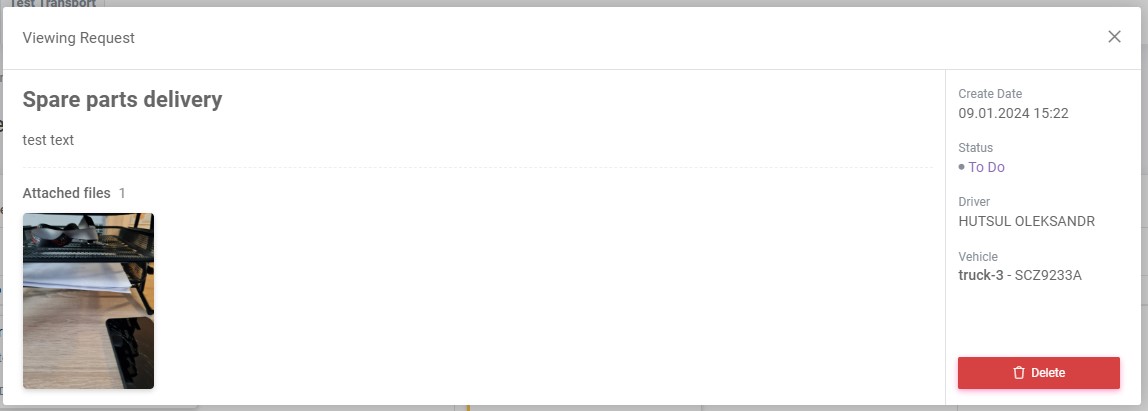
This functionality provides a possibility of communication between you and drivers by sending requests.
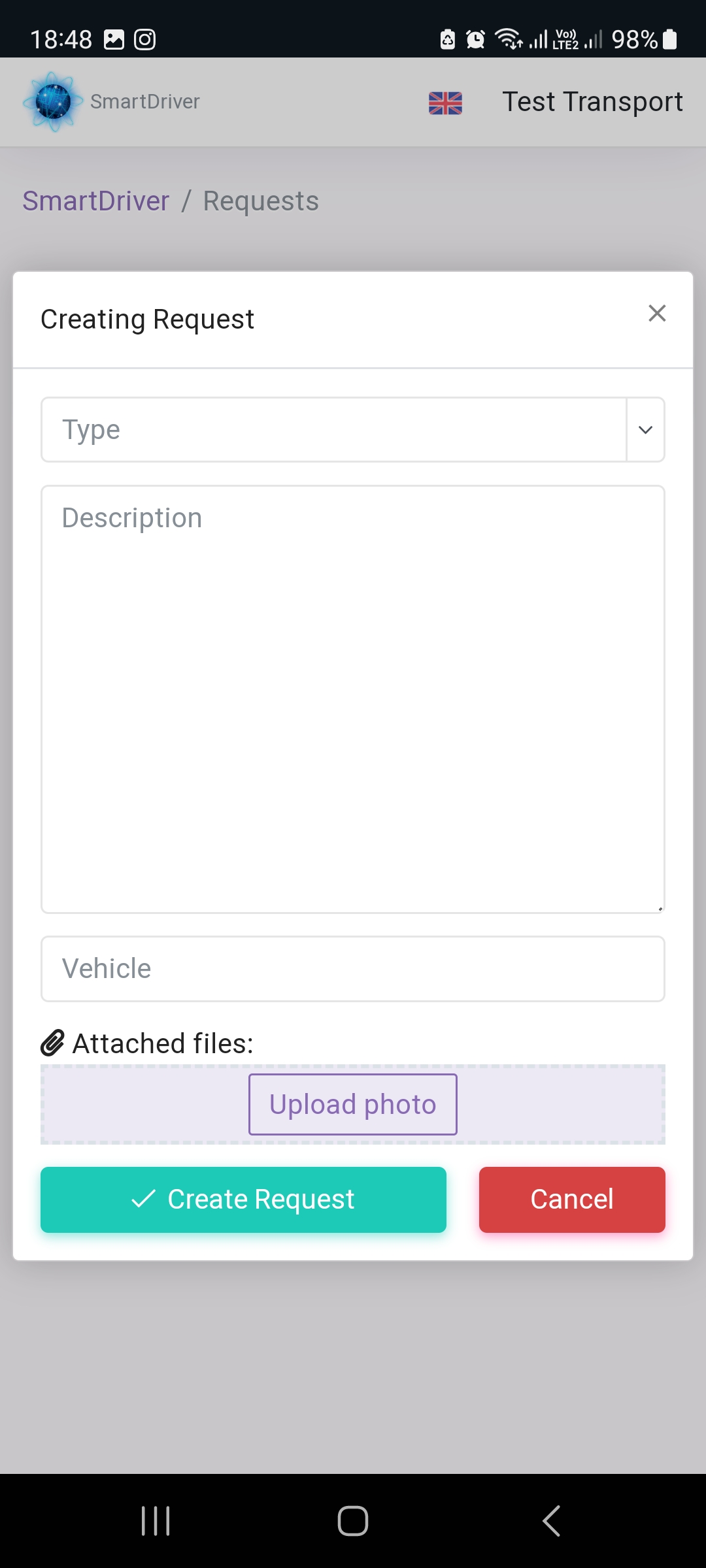
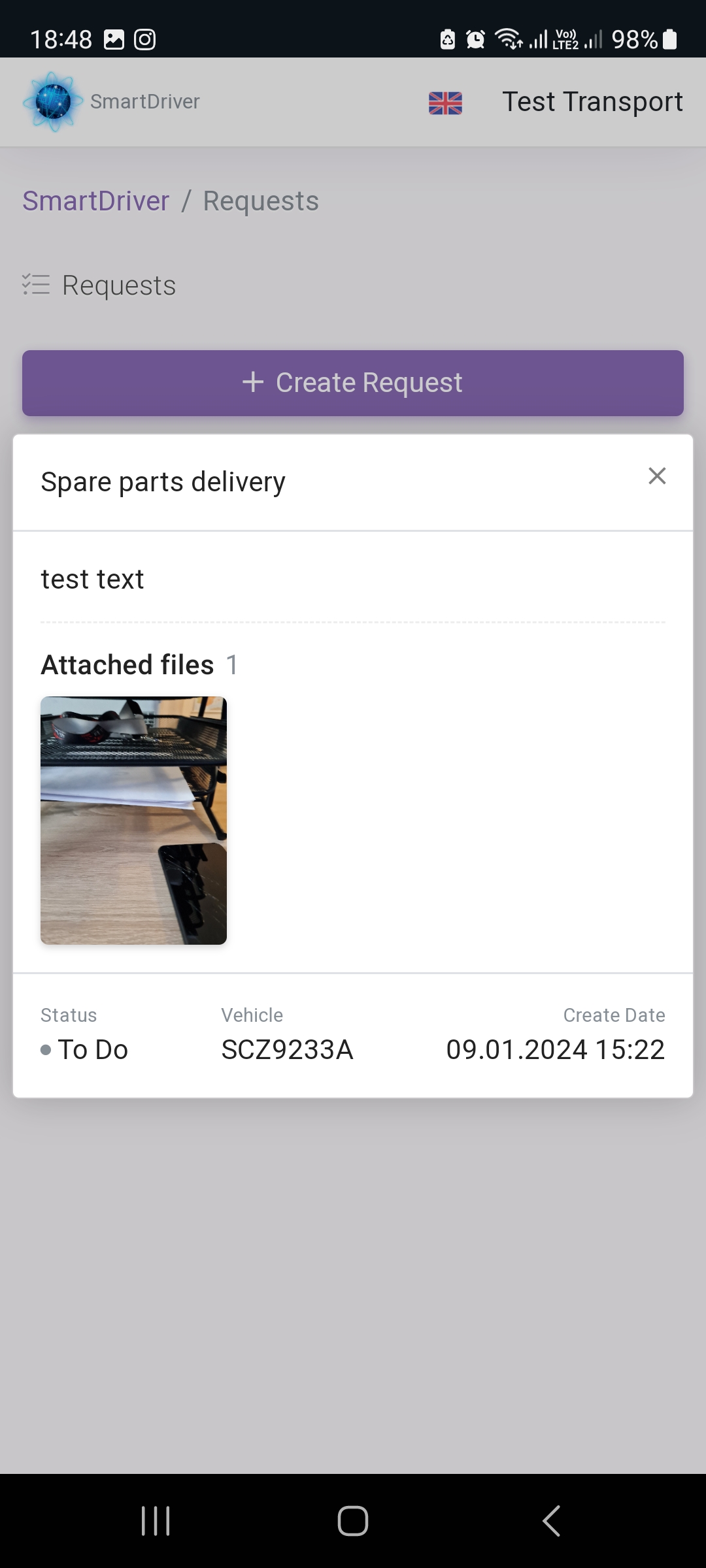
Drivers can send requests using SmartDriver app, and you, in your turn, can receive these requests and process them efficiently, without creating chaos in chats in different messengers.
Driver's side view: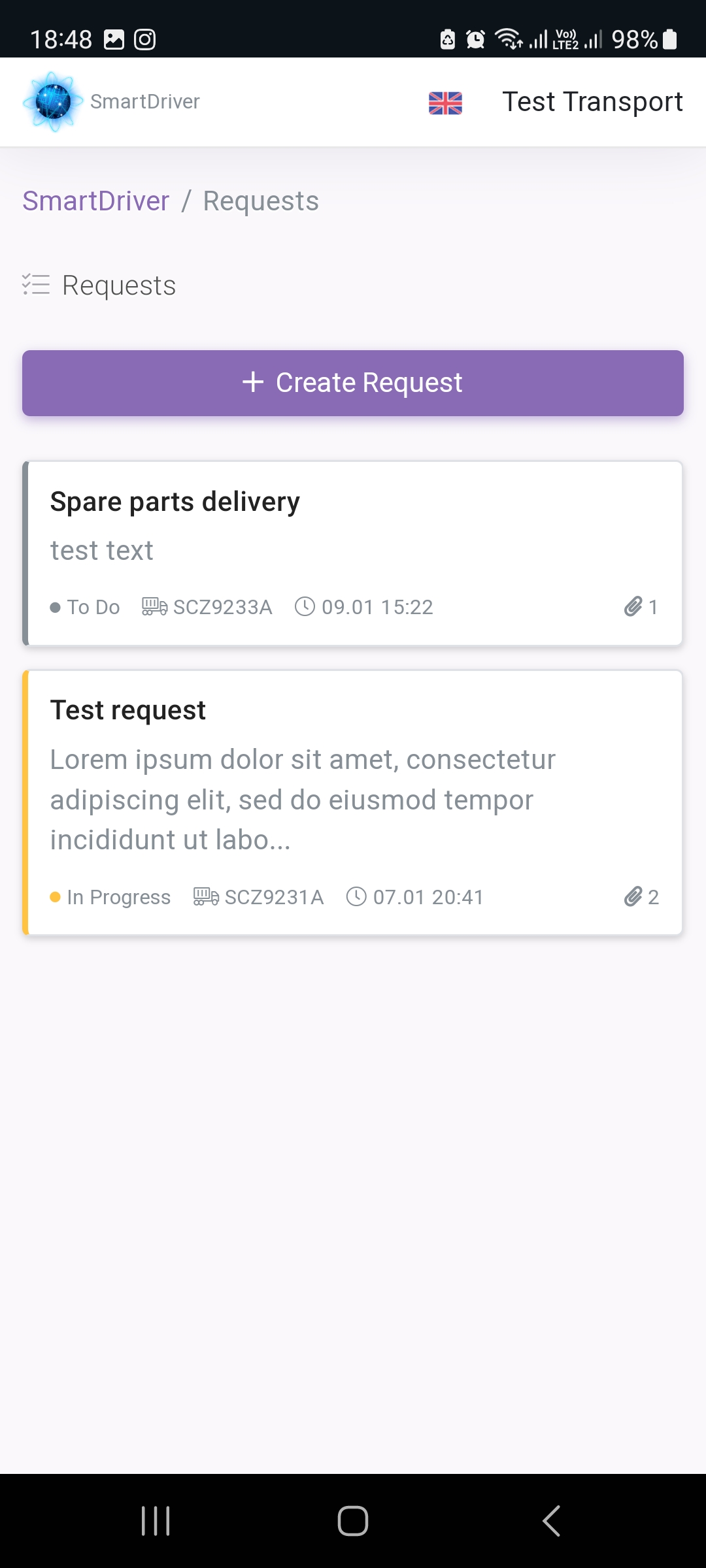
If you have any questions or require further clarification, please feel free to reach out to us at support@smartcp.org.
Best regards,
SmartCP