

Dear Customers,
SmartCP team is with you again! We are glad to present you a fresh update, and in this article we will briefly share with you the results of our work.
New module "Customers"
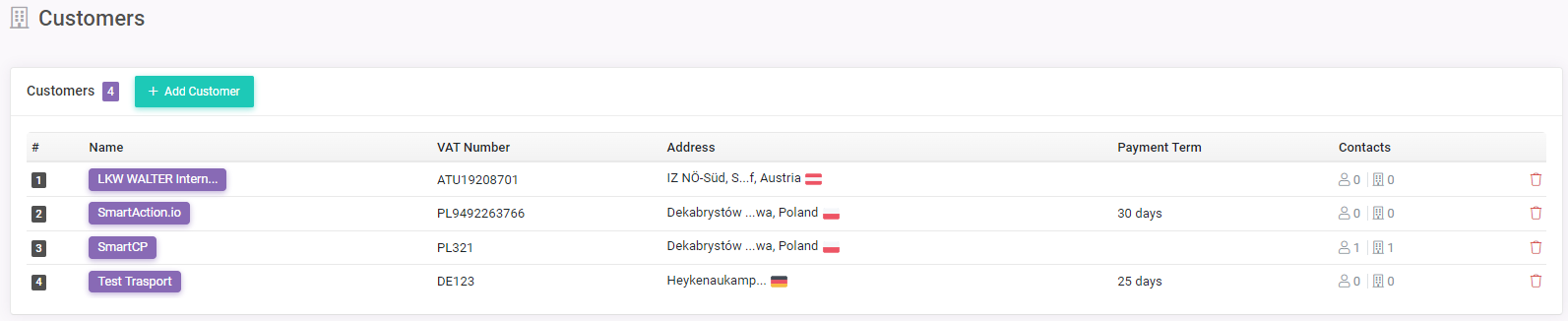
In this module you can create a list of all customers you work with.
For each customer you can add contacts, which are divided into 2 categories:
- Persons - contact of a specific person
- Departments - contact of some department in the customer's organization (for example, you can add contacts for transport and accounting departments)
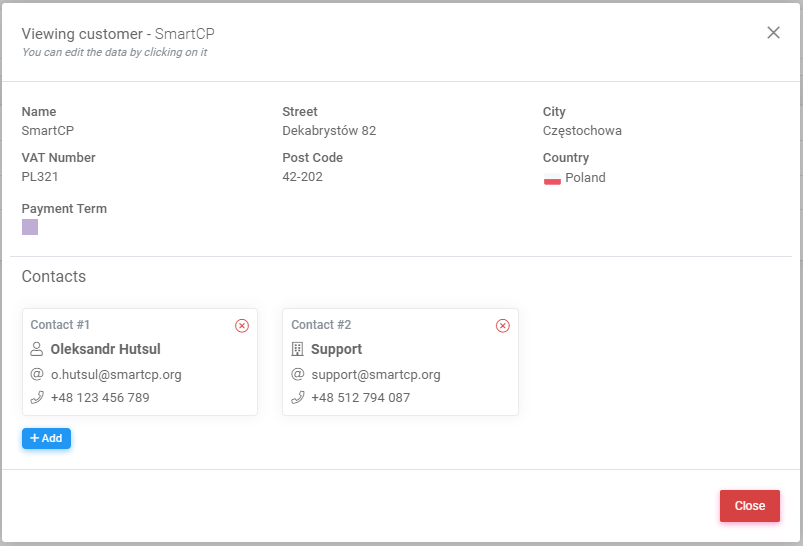
In the future, contacts will be used for simplified and fast communication with customers directly through SmartCP system.
There are also some changes related to customers in the "Orders" module, see the next section.
Changes in the "Orders" module
Due to the implementation of the "Customers" module, it is now possible to specify the customer from whom the order was received in each order: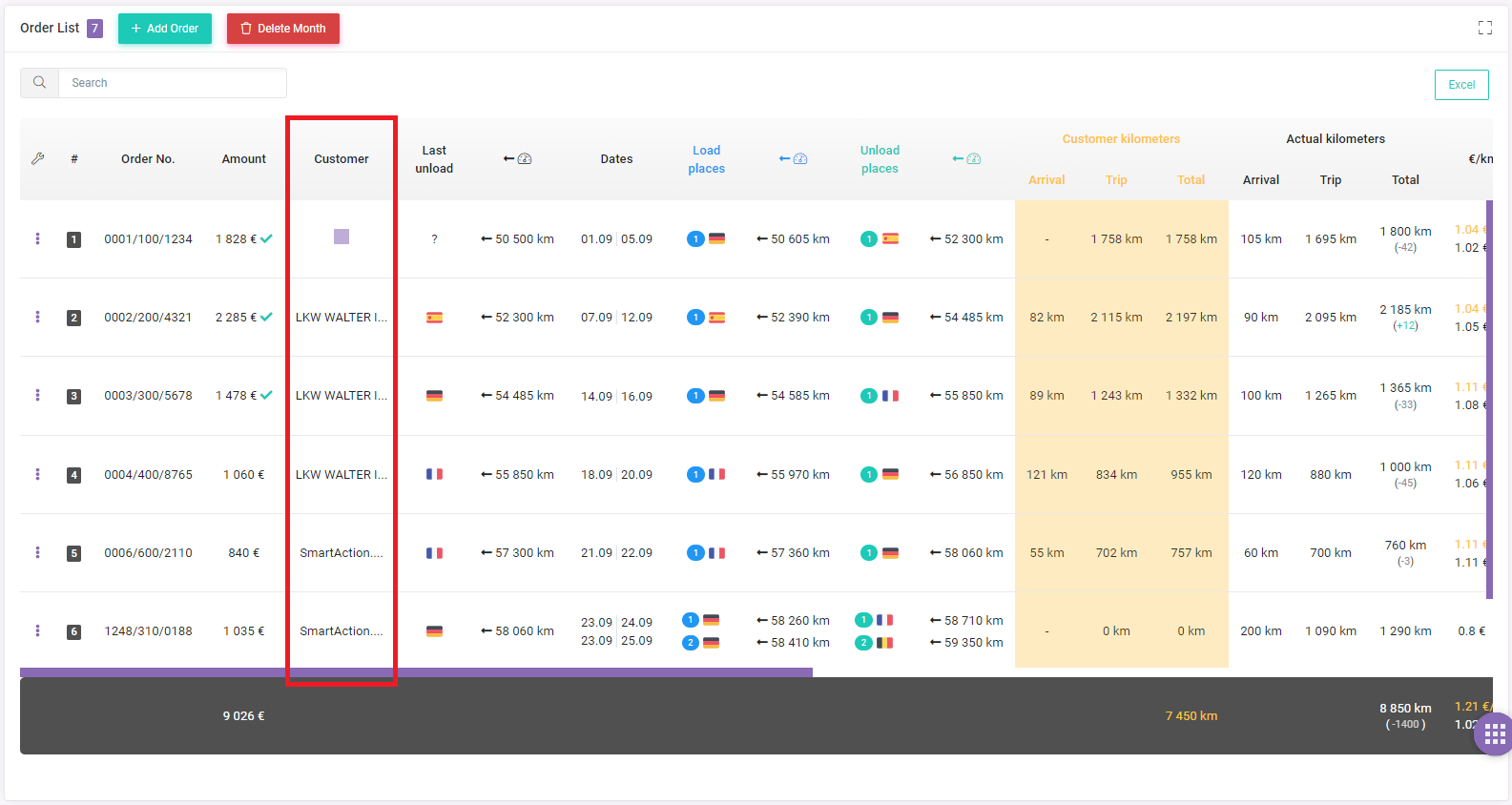
This update will allow the system to form detailed analytics for each customer, thus giving you the opportunity to easily evaluate which customers bring the most profit, optimize your work and make more informed business decisions.
Payment management has been completely moved to the "Payments" page in the "Orders" module: We have removed the ability to specify invoice number, payment status and other payment-related information directly in orders, now these processes are managed directly on the "Payments" page.
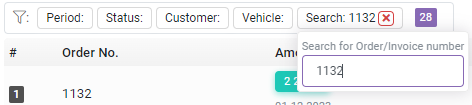
Also on the "Payments" page there are added advanced filters that will allow you to quickly and easily find the necessary information related to payments: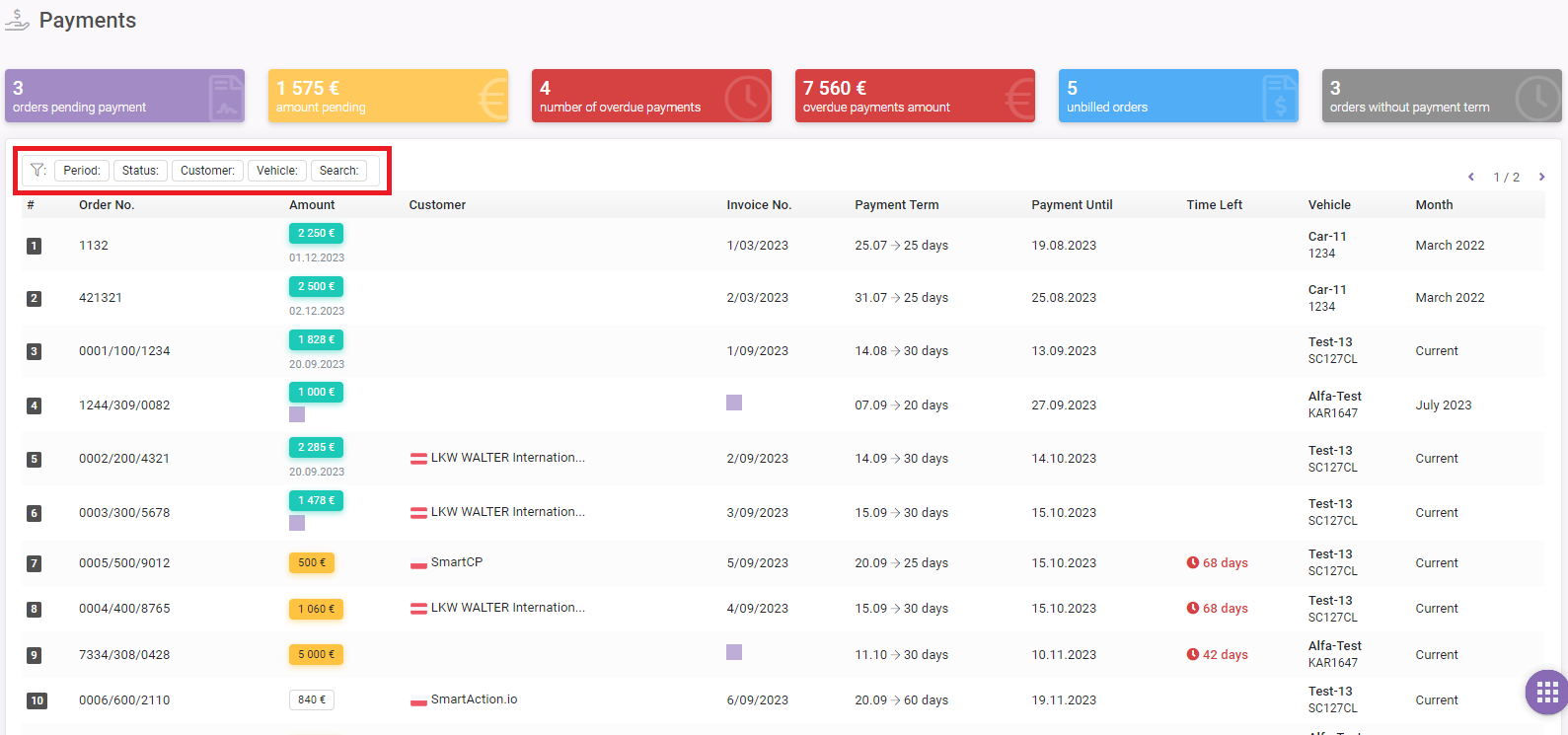
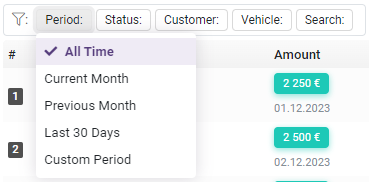
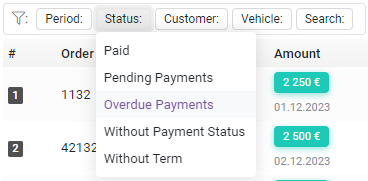
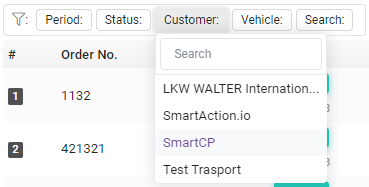
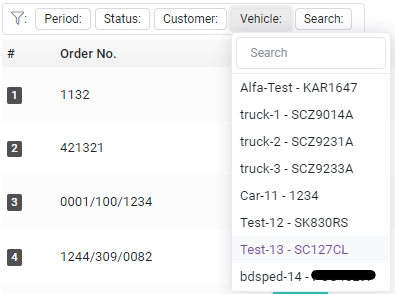
The "General Summary" button has appeared on the main page of the "Orders" module: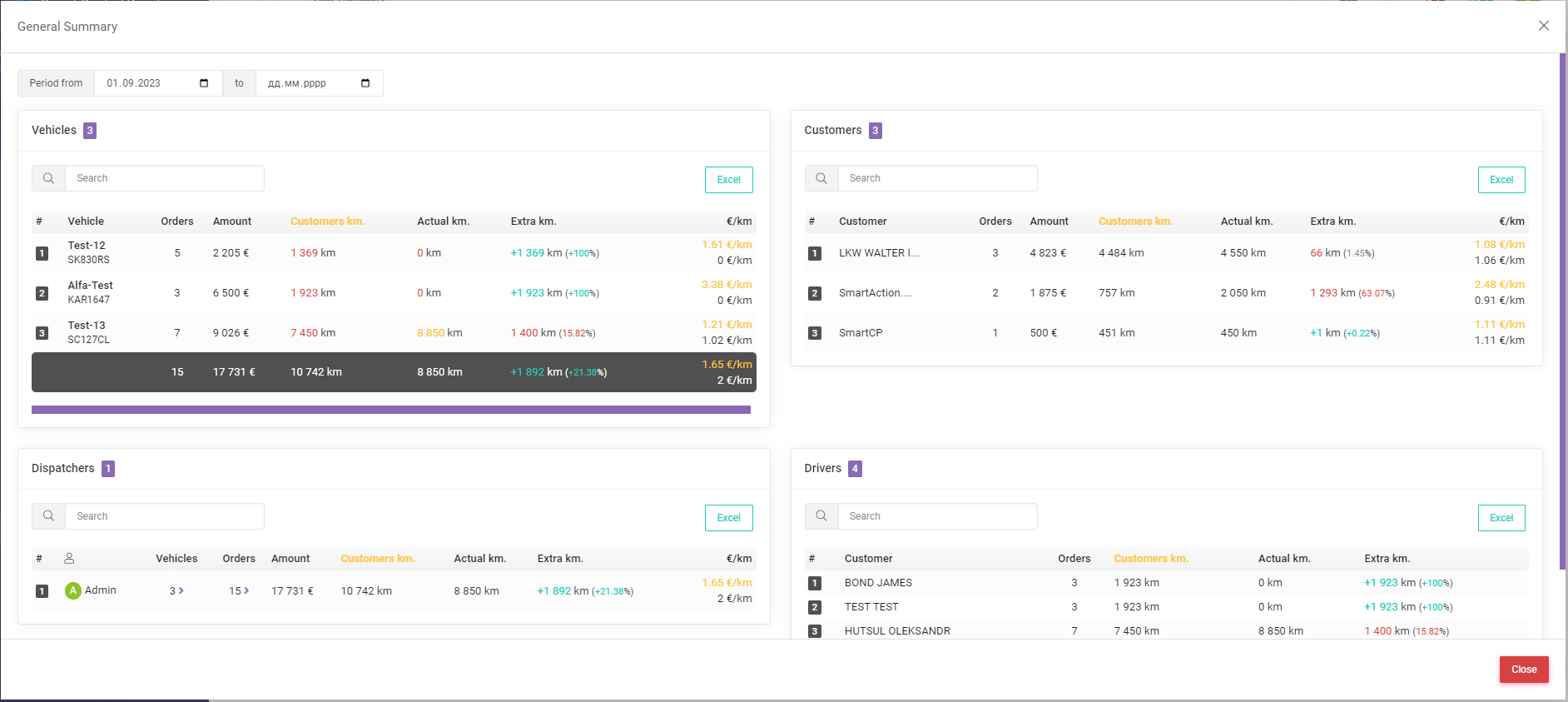
Here you can view the general summary for several categories for the selected period:
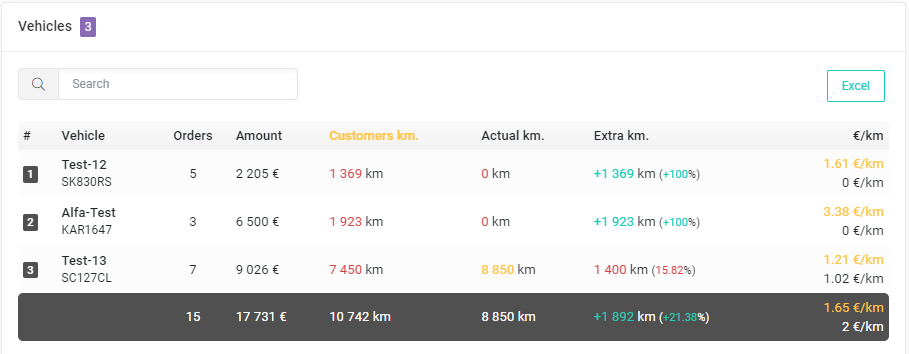
- Vehicles summary - summary for each vehicle, showing the number of orders, total amount, total kilometers, the difference in kilometers from the customer and the actual, also in percentage ratio, and the price per kilometer.
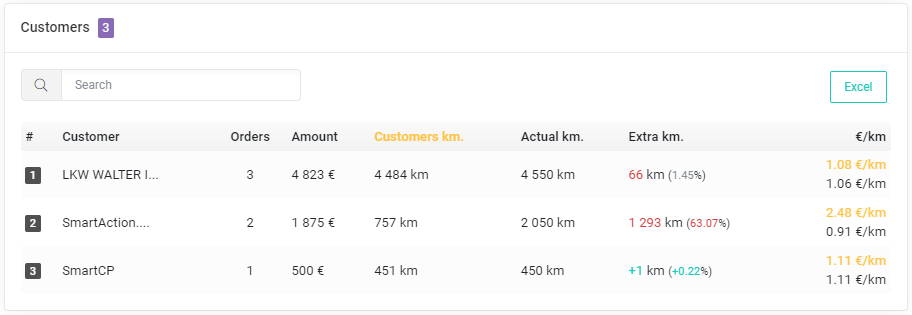
- Customers summary - similar to the vehicles summary, but for each customer.
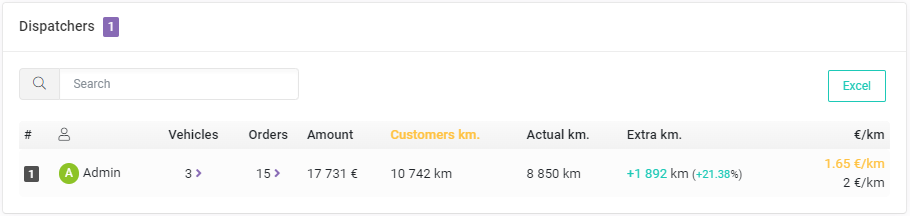
- Dispatchers summary - if you have a team of dispatchers, then this summary will be useful for you, you will be able to evaluate the work of dispatchers. The summary will show how many orders were processed (detailed how many orders on which vehicle), how many vehicles were in operation (detailed how many orders from which customer).
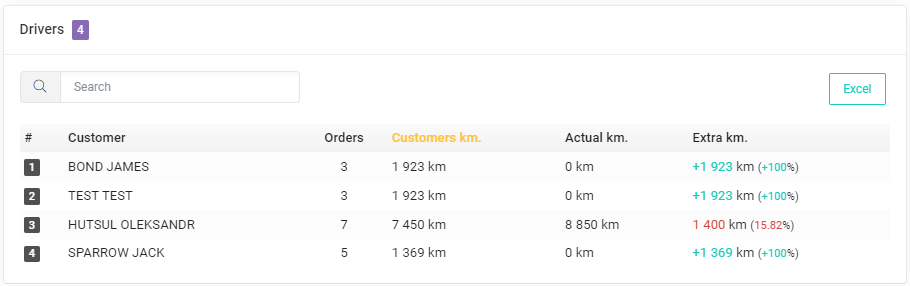
- Drivers summary - you will be able to see how many orders and what kilometers each driver made.
Changes in the "Drivers" module
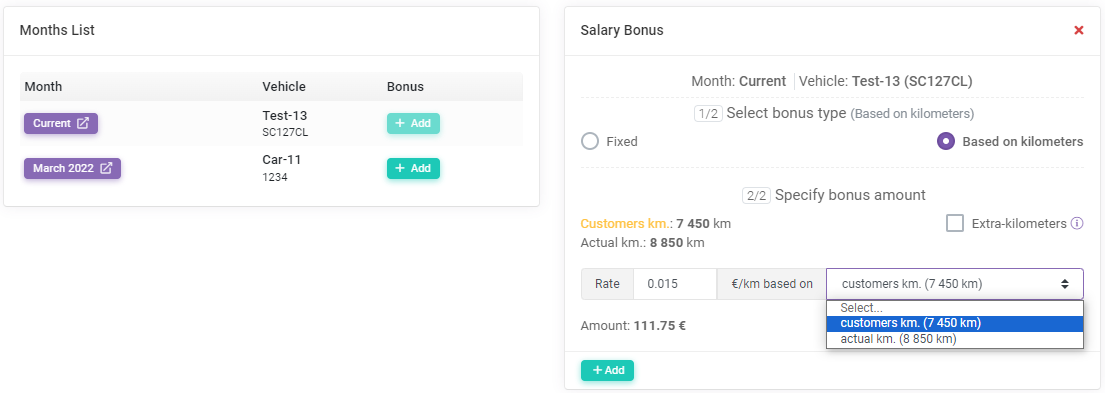
Ability to add bonuses to the salary. Now you can add a bonus to each month in which a driver worked: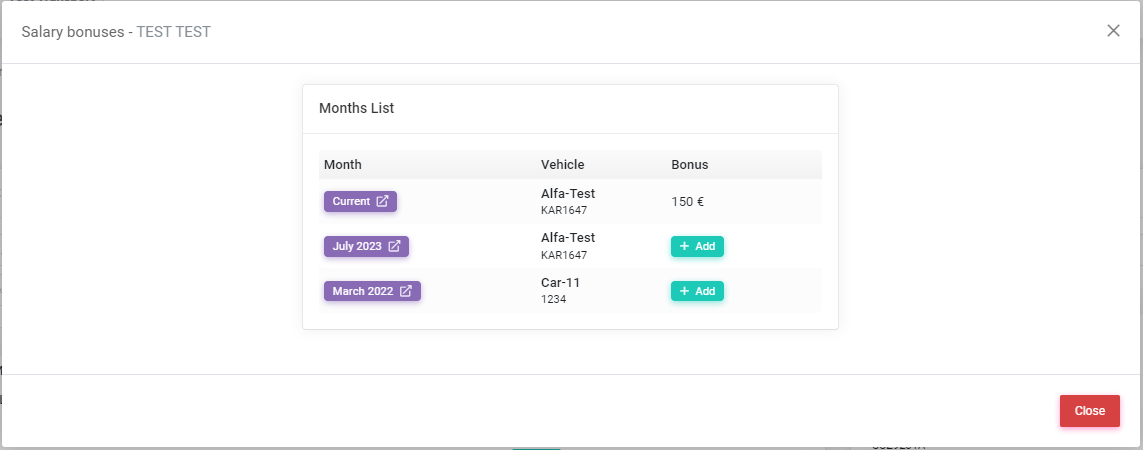
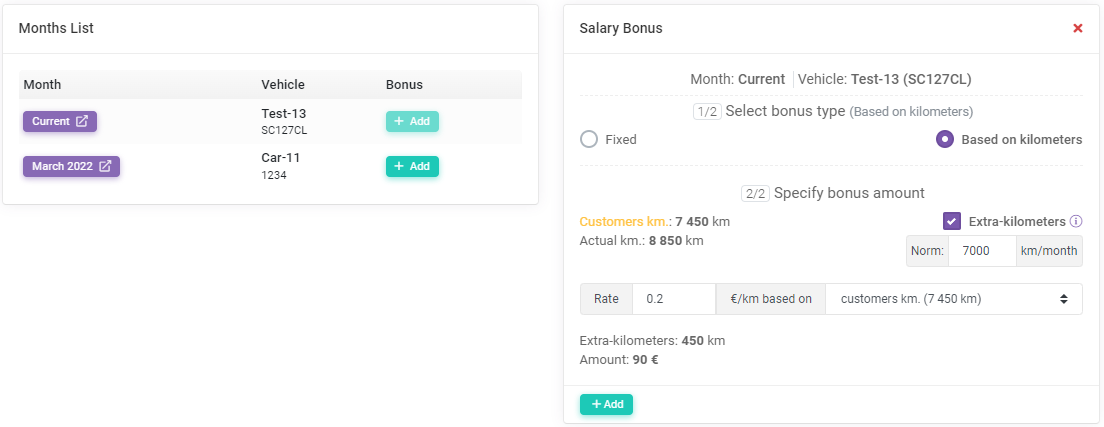
There are 3 ways to determine the amount of the bonus:
- Fixed - just specify the amount of the bonus and that's all.
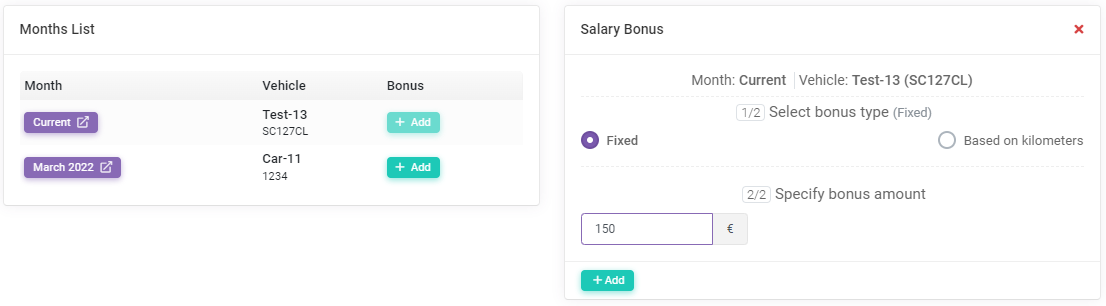
- Based on kilometers - specify the rate per kilometer and choose on the basis of which kilometer (from the customer or actual) to calculate the bonus.
- Based on extra-kilometers - you can specify the monthly kilometers norm and calculate a bonus for each kilometer over the norm. For example, for you the feasible norm is 10 000 km per month, if the driver drove 10 500 km, the system will calculate the number of extra-kilometers - 500 km, then as well as on the based on kilometers, you specify the rate per kilometer.
You can add a bonus in the "Drivers" module, for this purpose a corresponding item has been added: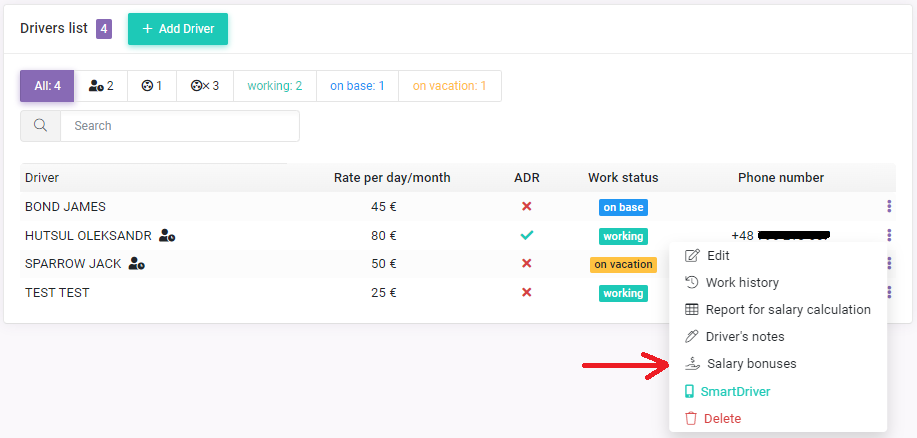
And also in the "Orders" module, being in a certain month, go to viewing detailed information about the salary of drivers: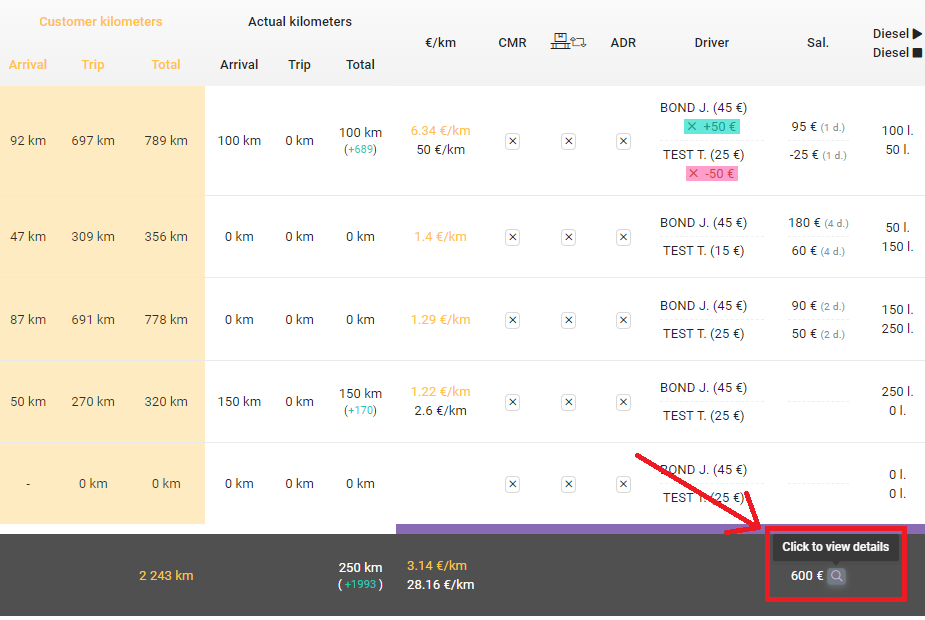
Bonus is taken into account in the salary and in the costs part in the "Profitability" module.
If you have any questions or require further clarification, please feel free to reach out to us at support@smartcp.org.
Best regards,
SmartCP