

Dear customers,
We have prepared another update of our system and in this article we will introduce you the innovations.
Dashboard Update
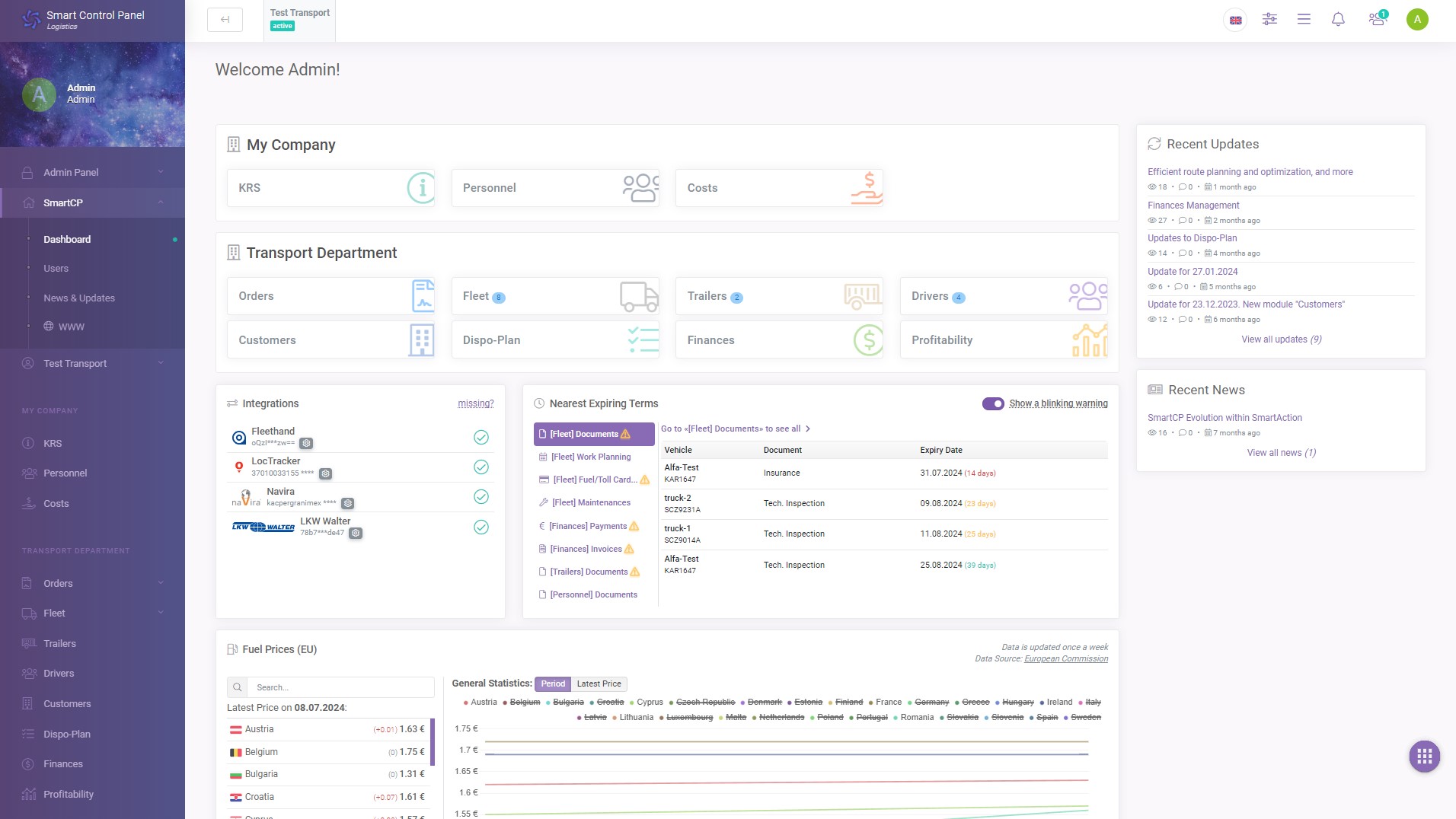
- We have removed the big timer on the right side indicating the expiration of the system
The system already shows a warning 10 days before the expiration date, so we felt that this timer was no longer necessary - In place of the timer (on the right side) we have moved the “Recent News” and “Recent Updates” sections to make space for the new sections. See below for the new sections
Fuel Prices
On the home page you can now see fuel prices in EU countries.
You can see the latest available price as well as statistics and history of prices in each country in the form of graphs: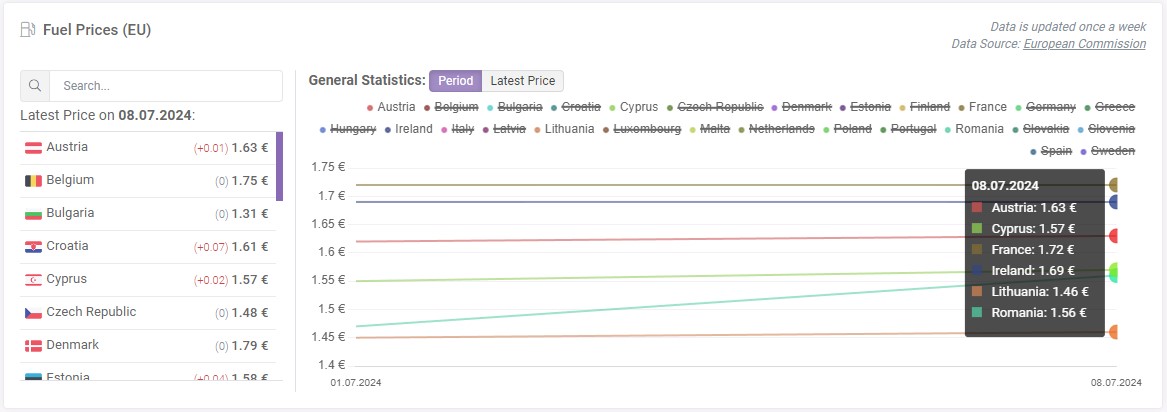
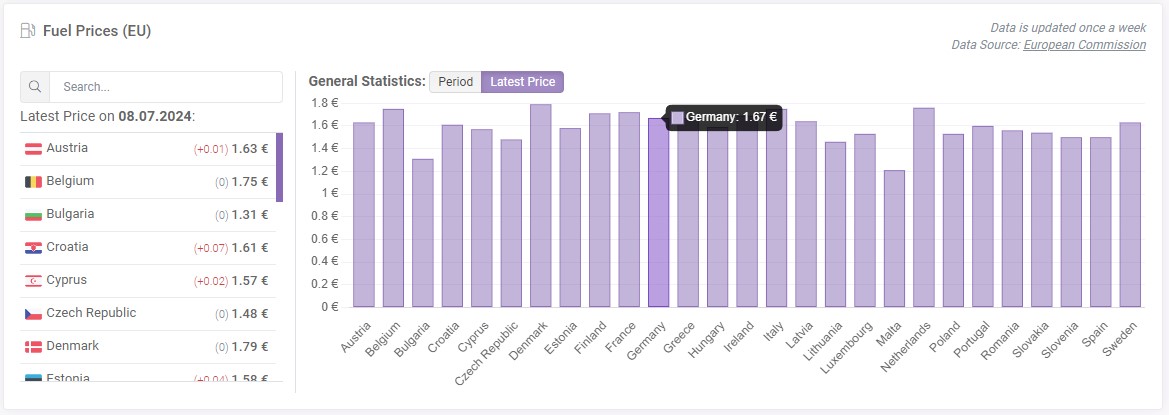
If you were previously interested or looking for information about fuel prices, but it was not convenient for you to constantly search for resources that would provide this information in a convenient way, then you have the solution :)
Now you will have access to this information in one convenient location where you work every day.
Fuel price data is updated at weekly intervals. The source of the data is the official website of the European Commission.
Nearest Expiring Terms
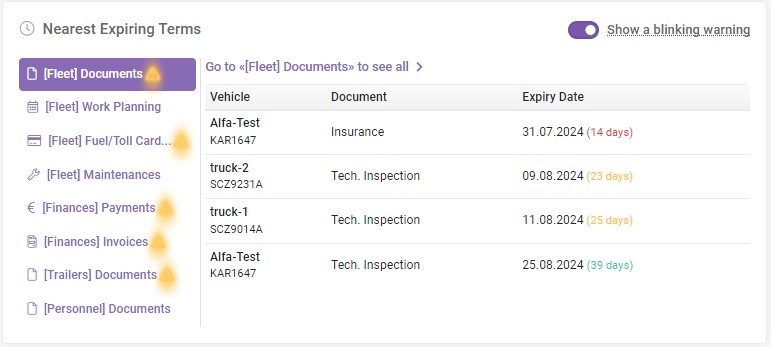
We have also added a section to the home page called “Nearest Expiring Terms”.
We decided to collect all the data that has an expiration date and display it in a convenient way on the home page.
As such, we have removed the blinking warning on the home page directly on the system modules themselves, and added the ability to toggle the blinking warning on/off in the “Nearest Expiring Terms” section.
Fuel/Toll Cards Update
- Added the ability to view by cards and by vehicles
- By cards: standard list of all cards
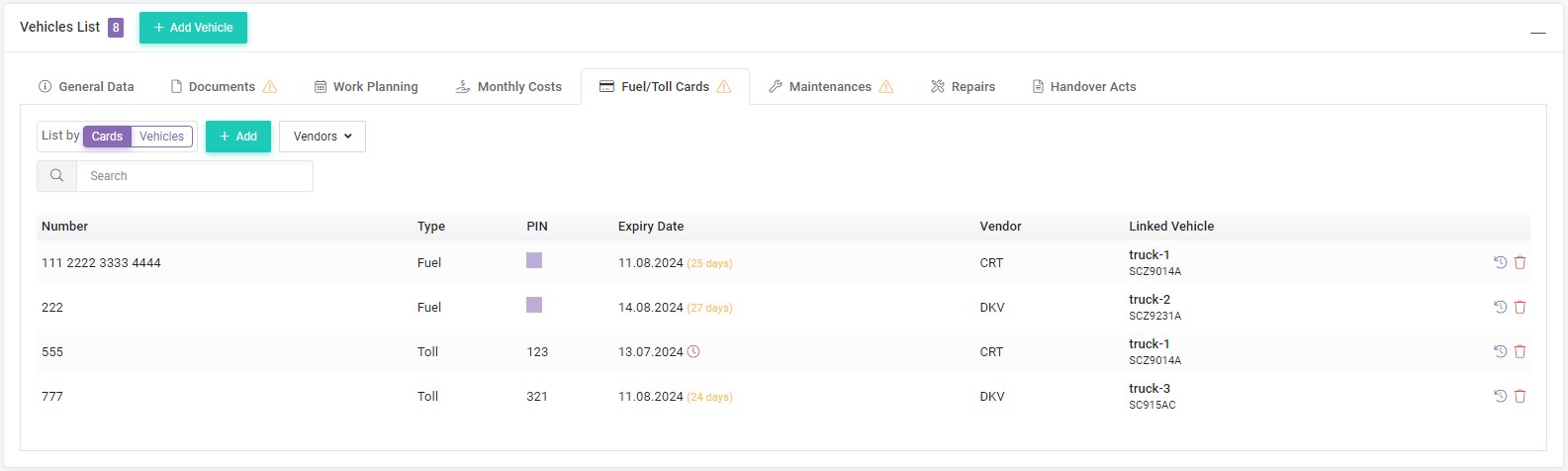
- By vehicles: list of all vehicles, and on each vehicle the linked cards to that vehicle
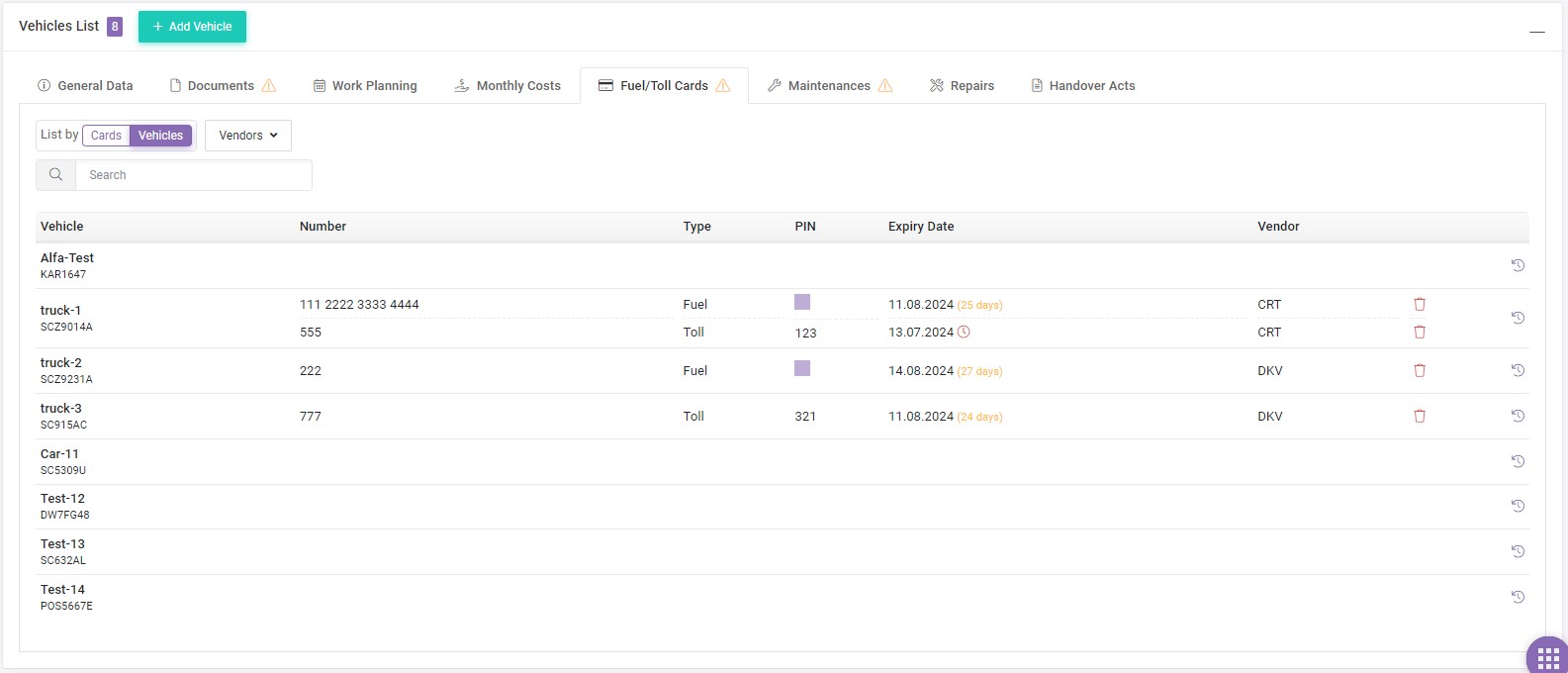
- By cards: standard list of all cards
- Added ability to add vendors and link them to a card
- Added 3 types of cards:
- Fuel
- Toll
- Fuel + Toll
- Implemented more convenient card history
Now the history can be viewed both by card (on which vehicle it was and in what period) and by vehicle (which cards were used and in what period) - The system will notify you when each card is about to expire
Other Updates
- [Orders] Added “Hazardous Cargo (ADR)” parameter to the route planning settings, with an option to select the class of hazardous cargo. Now you will be able to plan routes taking into account the factor of hazardous cargo transportation
- [Orders] Additional parameters have been added to the order data (for orders with container transportation):
- Shipping Company - to specify the name of the shipping company
- Documents - to specify code/number/type of documents
- [Customers] Added option to specify the reason for blacklisting a customer
If you have any questions or require further clarification, please feel free to reach out to us at support@smartcp.org.
Best regards,
SmartCP Team