
Dear Customers,
We're excited to announce a fresh update for our TMS product, focusing on enhancing your route planning experience. Let's dive into the details of the new feature and explore how it can simplify your logistics operations.
Route Planning
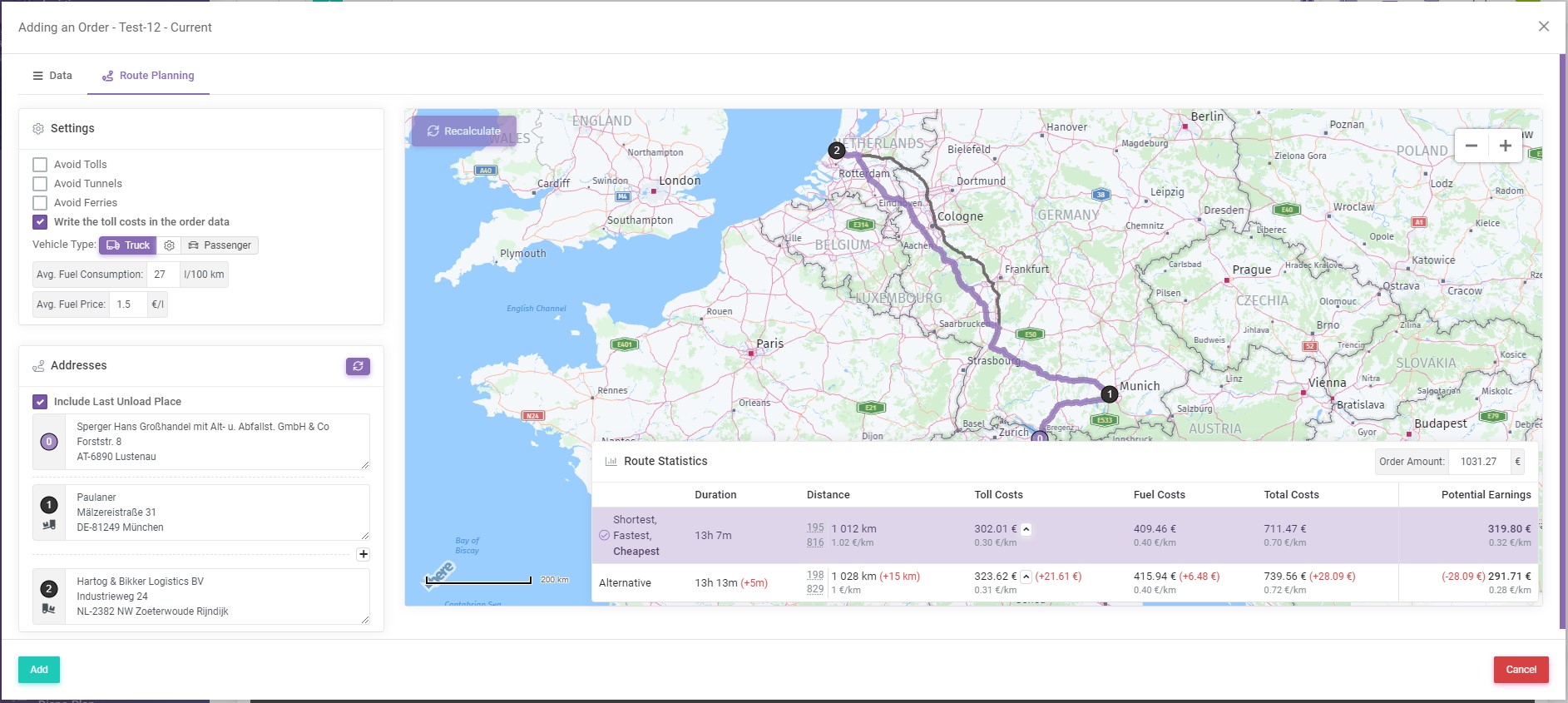
The most important thing in today's update is route planning.
On this occasion, we have prepared a video explaining how to use this feature. The video is attached to this article or you can watch it by clicking here.
But, in addition to this, other improvements to the system have also been made. More on this below.
Module: Orders
- Added 2 new types of order tasks:
- Container pick-up in the loading category
- Container drop-off to the unloading category
- Added Reference position to the order task data.
- Added container-related positions to the order data: Container Number and Type.
- Also added position Cargo Weight to the order data.
- Added viewing of the original order in PDF, if you upload the order in PDF when adding an order. And in connection with this we have made small changes related to the appearance of the window for adding an order.
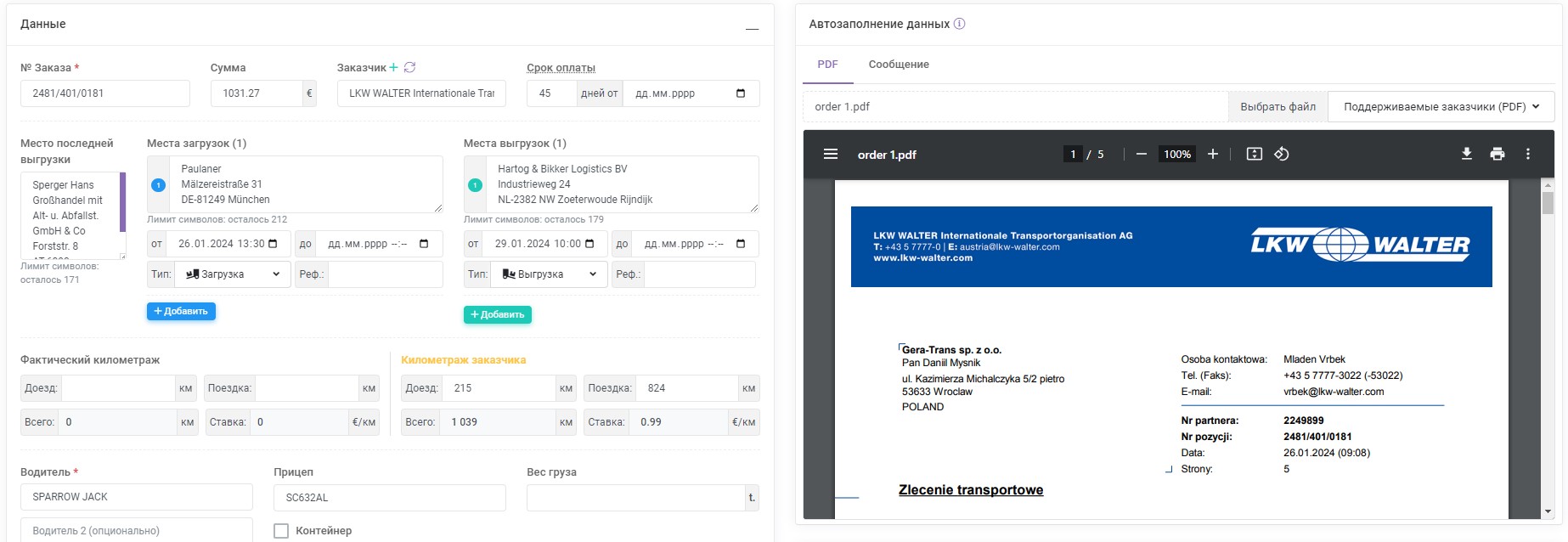
- When adding an order, in the kilometer section added a comparison of the actual kilometers with the kilometers from the customer.

- Added the ability to view the order: if you click on the Sequence Order Number (hereinafter SON), a window will open, which will contain all the information on the order.
Previously, the order could be moved by holding down the left mouse button on the SON, and due to the fact that the SON now performs the function of viewing the order, to move the order was added a corresponding icon in front of the Options button (move the mouse cursor near the Options button, so that the icon for moving the order appears). - Added ability to generate order as PDF in different languages (position in order Options).
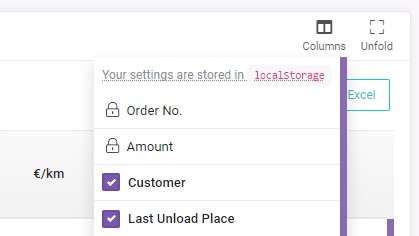
- Added the ability to disable/enable the display of columns in the order table (located at the top right, above the order table).
- Removed Advanced and Classic modes for order reporting. Essentially the difference in these modes was that the Advanced mode displayed more data columns in the order table, as well as the ability to specify the odometer on each task (load/unload) to calculate the actual kilometers.
Now all data columns are enabled by default, but due to the possibility to disable columns, you can disable those data columns that you do not use.
In the case of the odometer indicator, the parameter Actual Kilometers by odometer has been added in the settings of the Orders module, which everyone can customize. At the moment, this parameter is active for those who previously had the Advanced mode enabled and disabled for those who had the Classic mode.
Module: Trailers
- Added more types of trailers.
We are confident that these updates will significantly improve your logistics operations, making route planning and order management more efficient and user-friendly. We appreciate your continued trust in our software product and are committed to providing you with the best tools to support your business needs.
If you have any questions or require further clarification, please feel free to reach out to us at support@smartcp.org.
Best regards,
SmartCP